By clicking "Accept all cookies", you agree to storing cookies on your device to enhance site navigation, analyze site usage and assist in our marketing efforts as outlined in our privacy policy.
By clicking 'Accept all cookies', you agree to storing cookies on your device to enhance site navigation, analyze site usage and assist in our marketing efforts as outlined in our privacy policy.
The best startup websites solve a specific design problem: convert a complete stranger into an interested prospect in under three seconds. That's a harder brief than most companies give their design teams. We've collected 30 startup websites that do this convincingly in 2026 — ranging from seed-stage to Series C — with a breakdown of the specific design choices that make each one work. If you're building, redesigning, or benchmarking a startup web design project, these are the right references to use.
What Separates a Great Startup Website from a Good One
Most startup websites are adequate. The ones that convert better and earn more organic attention stand out because of a small number of specific decisions, not overall design quality.
The first screen does one job. The hero section exists to answer one question: what does this product do? Not three questions, not a brand manifesto, not four competing messages. The best startup websites commit to a single precise headline — under ten words — that tells a qualified visitor whether they're in the right place. Everything else on the hero supports that claim.
Product demonstration, not explanation. Copy tells a visitor what a product does. A screenshot, an embedded interface, or a short product animation shows them. The startup websites that convert best put the product itself — a real screenshot of the actual interface, not a styled marketing mockup — in the first scroll. This is the single highest-leverage design decision for most software startups.
Speed as a deliberate design choice. The best startup websites load in under two seconds. That constraint is a design decision with downstream consequences: no auto-play background videos, no multi-megabyte hero images, no JavaScript-heavy animations in the critical render path. Performance and design quality are not in tension — they're aligned. Slow sites signal technical carelessness to the exact audience most likely to notice.
Social proof positioned above the fold. A recognizable customer logo strip in the first one to two screens outperforms any copywritten value proposition for most B2B products. Visitors who see a company they recognize and trust have already started extending that trust to the product. The best startup company website designs treat the logo row as a conversion element, not a decoration.
Pricing treated as a design element, not a footnote. Transparent pricing on a dedicated, well-designed page is a brand signal: this company is confident in its value and doesn't need to hide behind a "contact us" CTA. The startups with the best website designs invest in their pricing page with the same care as their homepage.
Transform your startup brand and website to match your ambition
Metabrand is a startup branding agency working closely with founders and technology teams to bring ambitious ideas to life and give them the clarity, character, and presence they deserve.
Thank you! Your submission has been received!
Oops! Something went wrong while submitting the form.
The selection criteria for this list: the company has to be a real startup or growth-stage technology business, not an agency portfolio project or concept site. The collection includes a deliberate range of stages — from seed-stage startups to Series B and beyond — and categories including SaaS, AI, fintech, developer tools, consumer tech, and security. Sites were evaluated for current quality in 2026, not historical reputation; a landmark site from 2019 that hasn't been updated doesn't belong here. The design has to demonstrate visible craft and intentional decisions, not just minimalism by default.
30 Best Startup Websites in 2026
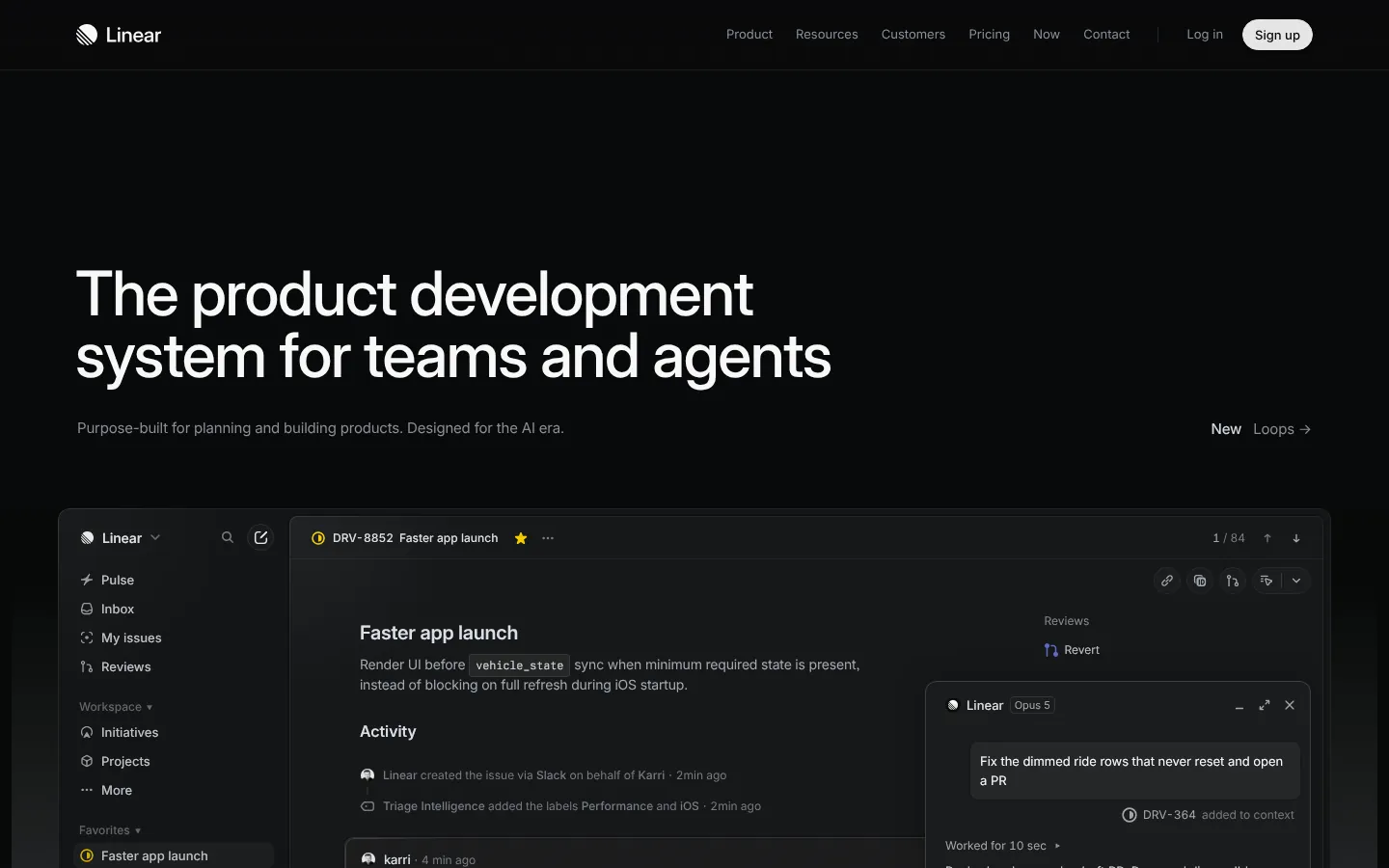
linear.app
1. Linear
Category: Project management / SaaS Stage: Series B+ URL: linear.app
Linear's homepage sets the standard for product-first startup website design. The dark interface aesthetic, the embedded product screenshots, and the animation system all communicate speed before the visitor has read a word. The hero headline is precise enough to exclude the wrong prospects and compelling enough to stop the right ones. Typography is custom-calibrated, not default. The site loads fast. Every design choice is coherent with the product's core value proposition.
Takeaway: When your product's differentiator is speed and precision, every design decision on the marketing site should embody those same qualities.
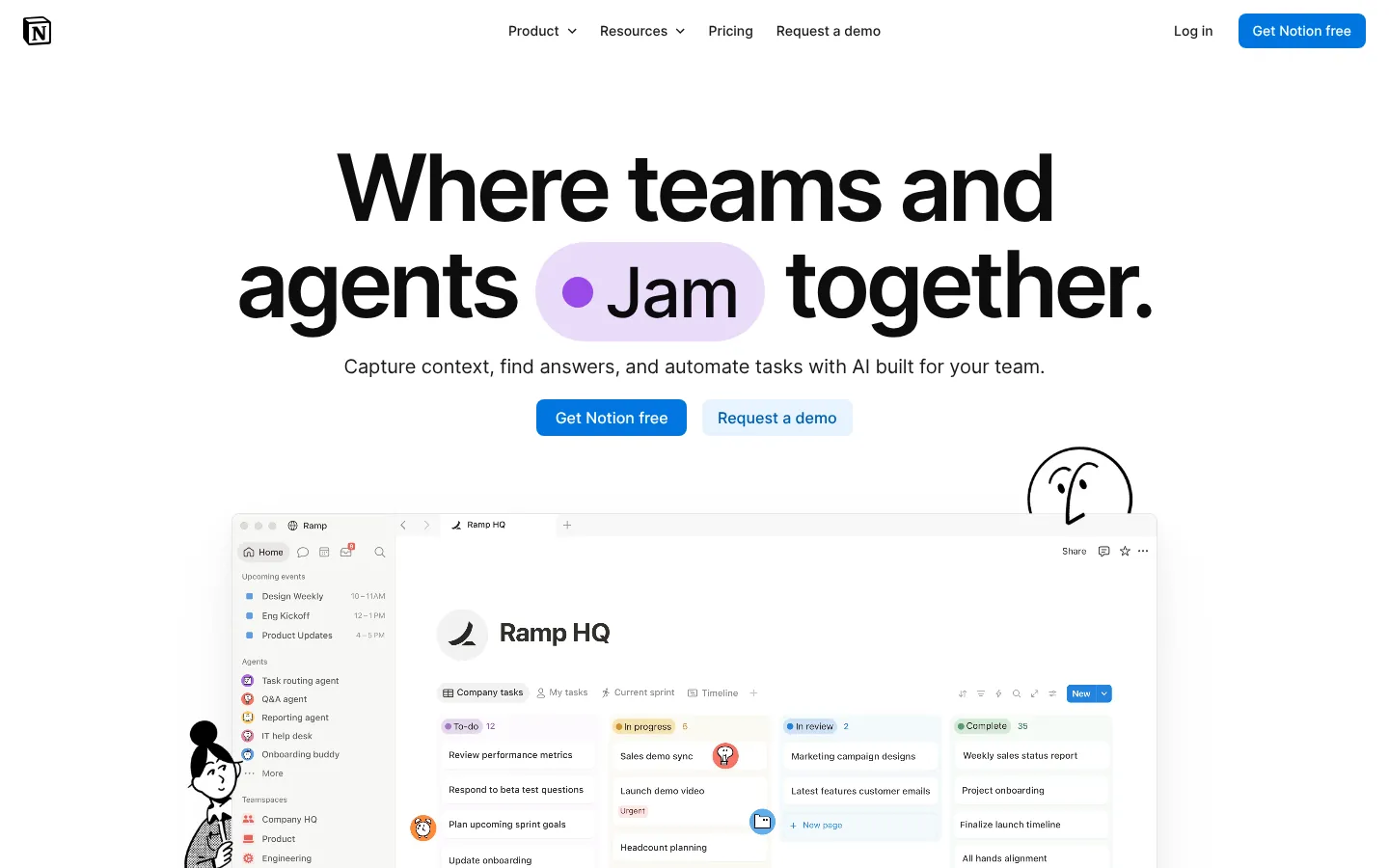
notion.com
2. Notion
Category: Productivity / SaaS Stage: Series C+ URL:notion.com
Notion's site is organized around use cases and audiences rather than features — a structural decision that serves a product with a broad user base. The product screenshots are embedded contextually rather than presented as isolated "feature" moments. The visual system is warm and approachable relative to the productivity software category. The enterprise section successfully recontextualizes the same product for a different buyer without feeling like a different brand.
Takeaway: For products with multiple distinct audiences, organising the site by use case rather than feature set reduces cognitive load for every visitor type.
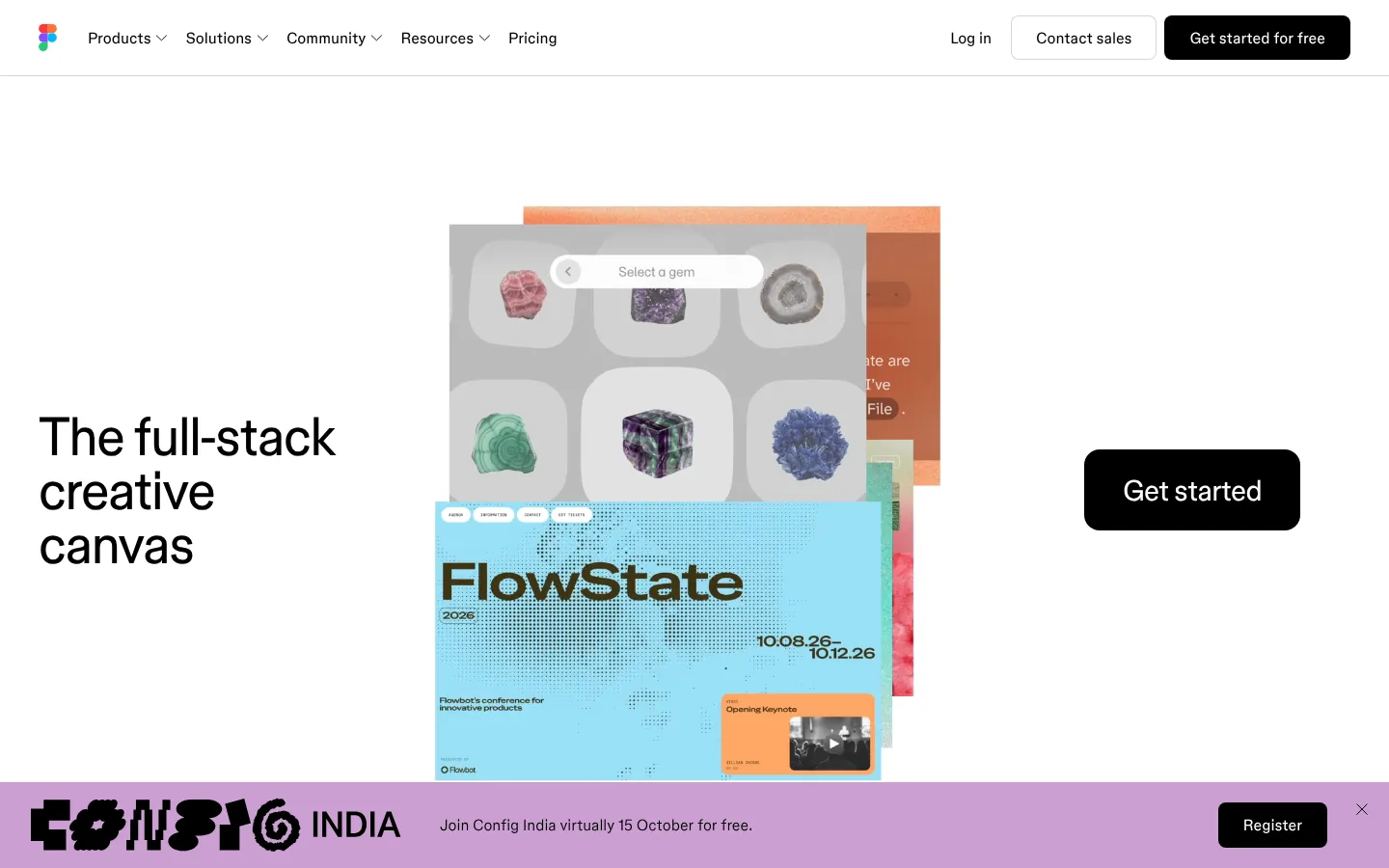
Figma's website is designed for the most demanding possible audience: professional designers. Every visual choice is evaluated against the taste level of people who spend their careers thinking about design quality. The interactive demos, the embedded product examples, and the precise typographic system all meet that standard. The site demonstrates that selling to design-literate buyers requires designing for them.
Takeaway: Design your marketing site for the most critical audience segment you have, not the most forgiving one.
anthropic.com
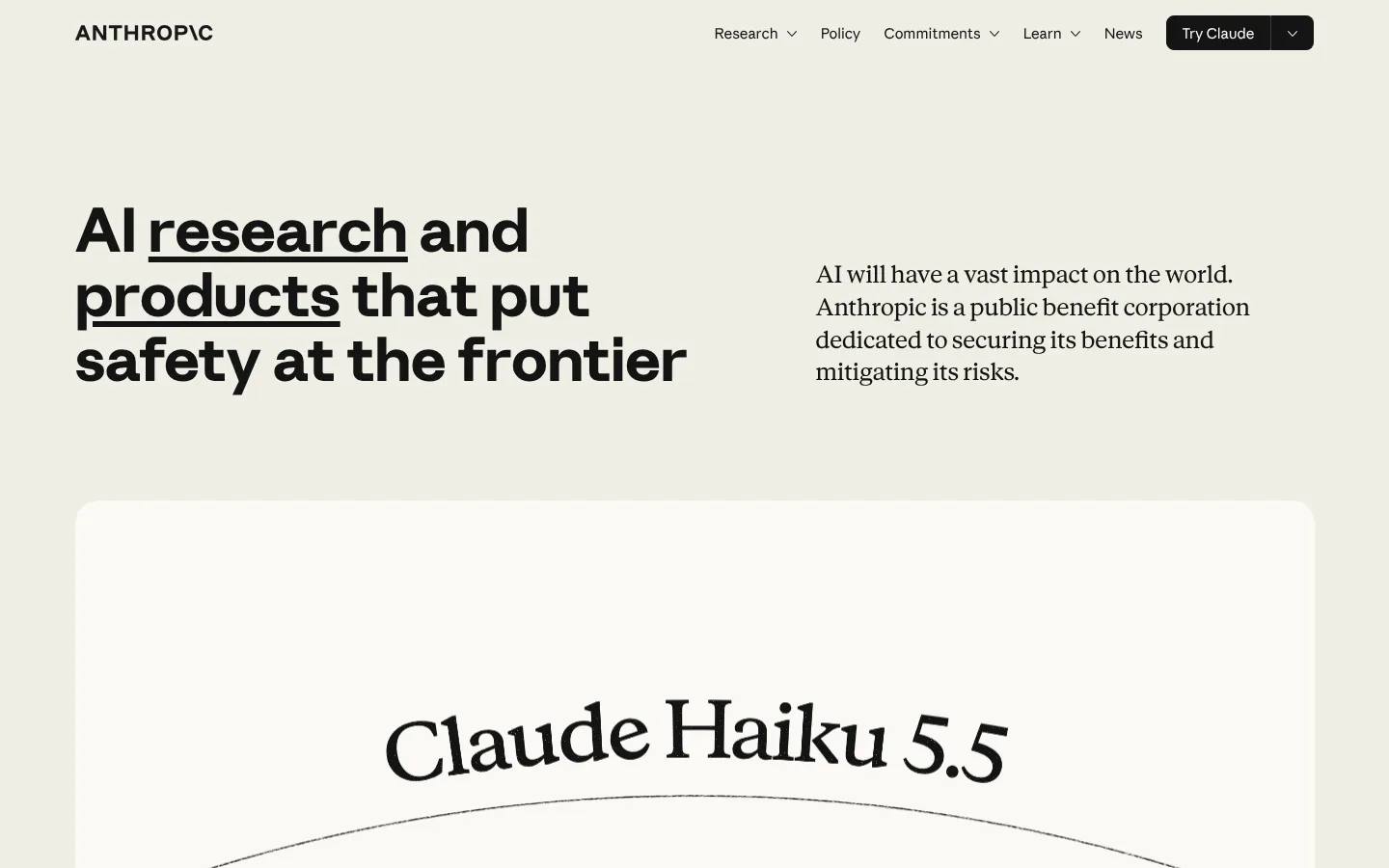
4. Anthropic
Category: AI research Stage: Late-stage / Scale URL:anthropic.com
Anthropic's website takes a deliberately restrained approach that differentiates in a crowded AI category. Where competitors use speculative visuals and expansive claims, Anthropic communicates through measured language, research citations, and visual restraint. The serif wordmark signals research institution rather than consumer product company. The contrast with competitors is the differentiation. The site loads instantly.
Takeaway: In categories full of visual noise, restraint and specificity can differentiate more effectively than visual ambition.
perplexity.ai
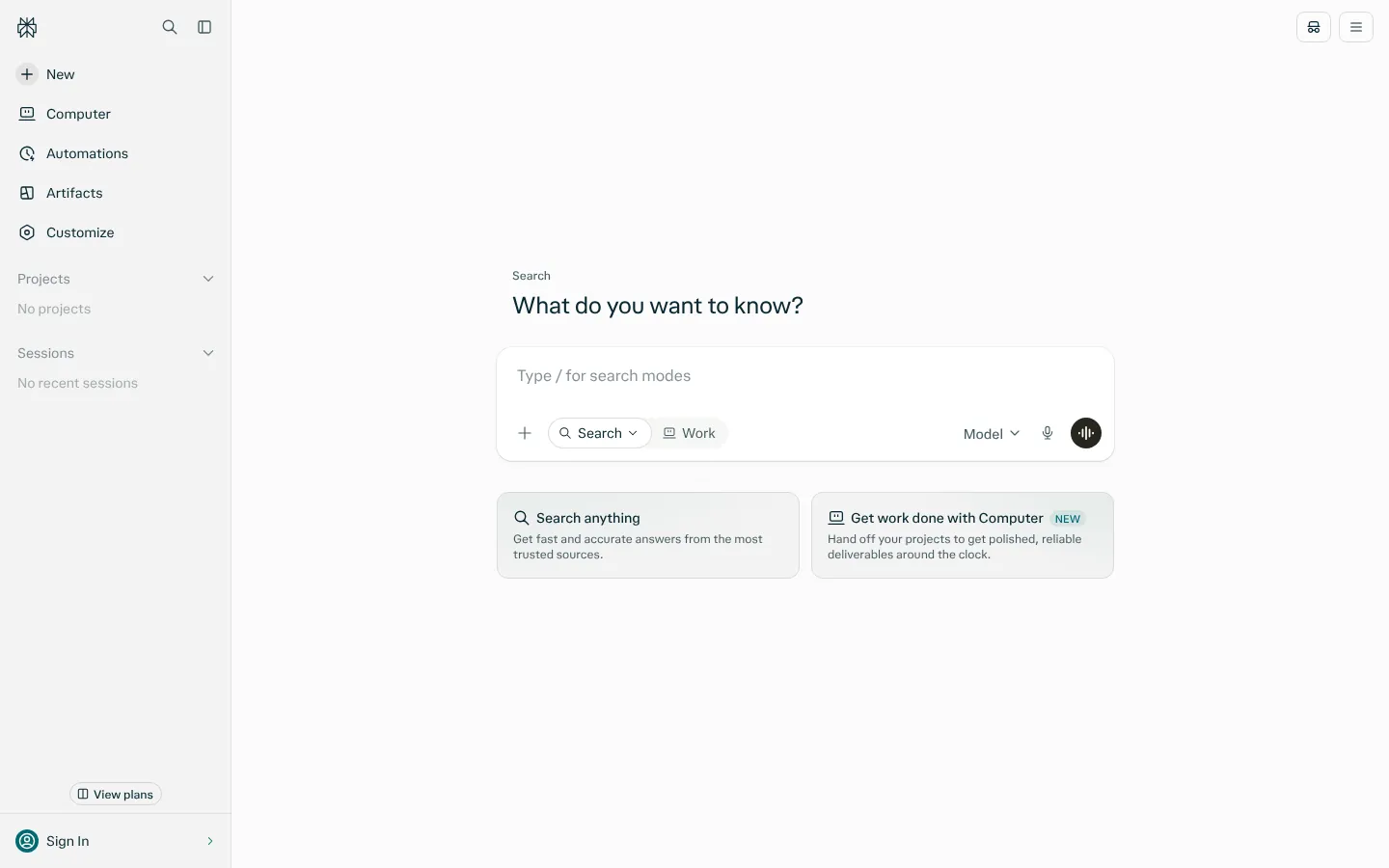
5. Perplexity
Category: AI / Search Stage: Series C+ URL:perplexity.ai
Perplexity puts the product interface directly in the homepage — the search input is present and usable from the landing page. This reduces the distance between "arriving at the site" and "experiencing the product" to near zero. For an AI product competing against deeply entrenched search behavior, removing that friction is the right strategic choice. The minimalist design system keeps everything focused on the product interaction.
Takeaway: If your product can be experienced immediately, embed that experience rather than describing it.
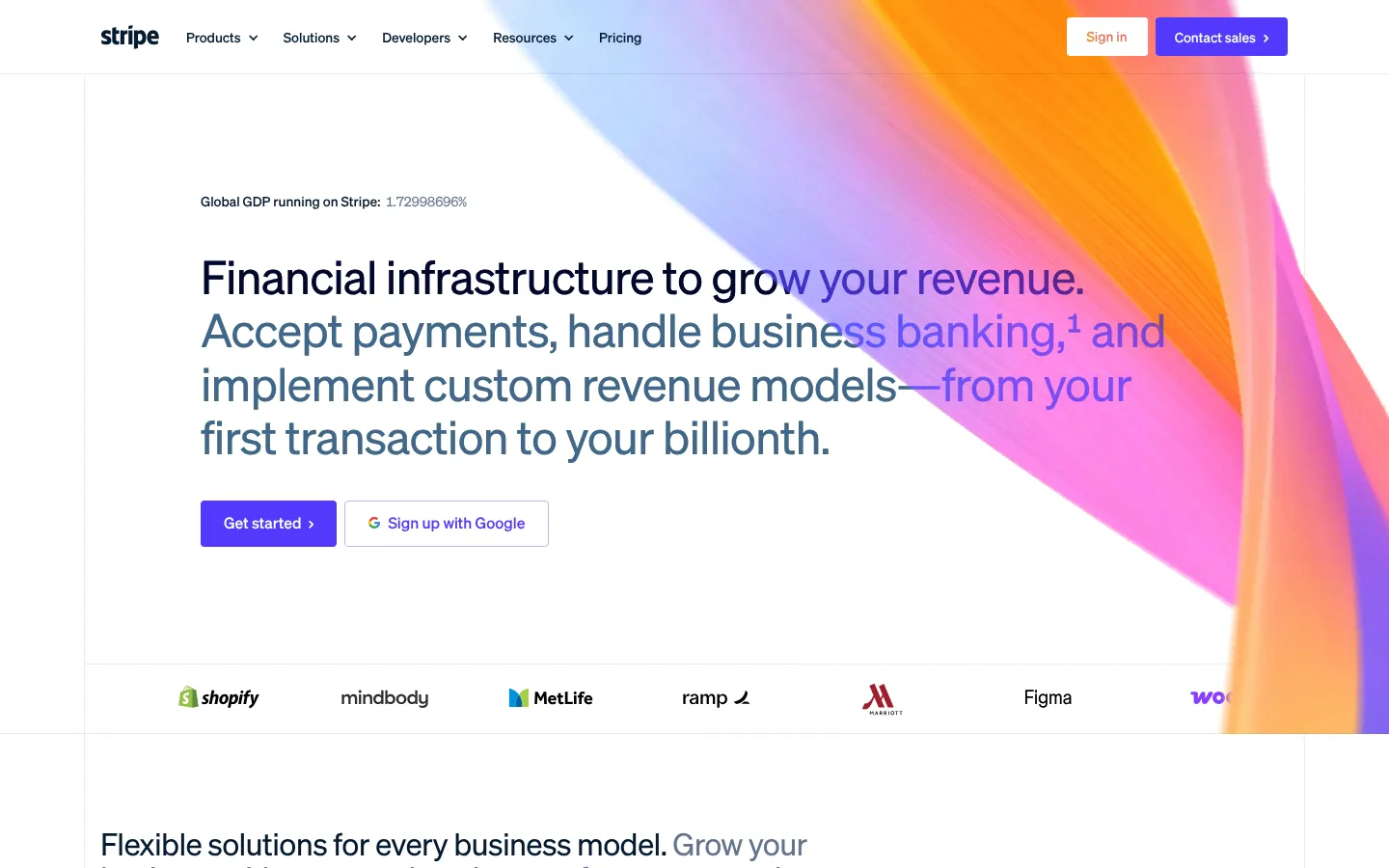
Stripe's website established a reference standard for fintech startup website design and has continued to evolve rather than drift. The developer documentation is integrated into the marketing site as a primary asset — technical buyers can evaluate the API quality without leaving the homepage flow. The gradient system, the code samples embedded in marketing copy, and the customer proof structure have all been widely imitated. The imitations are distinguishable from the original.
Takeaway: For products with developer audiences, treating documentation and code samples as marketing assets is a higher-leverage decision than visual polish.
mercury.com
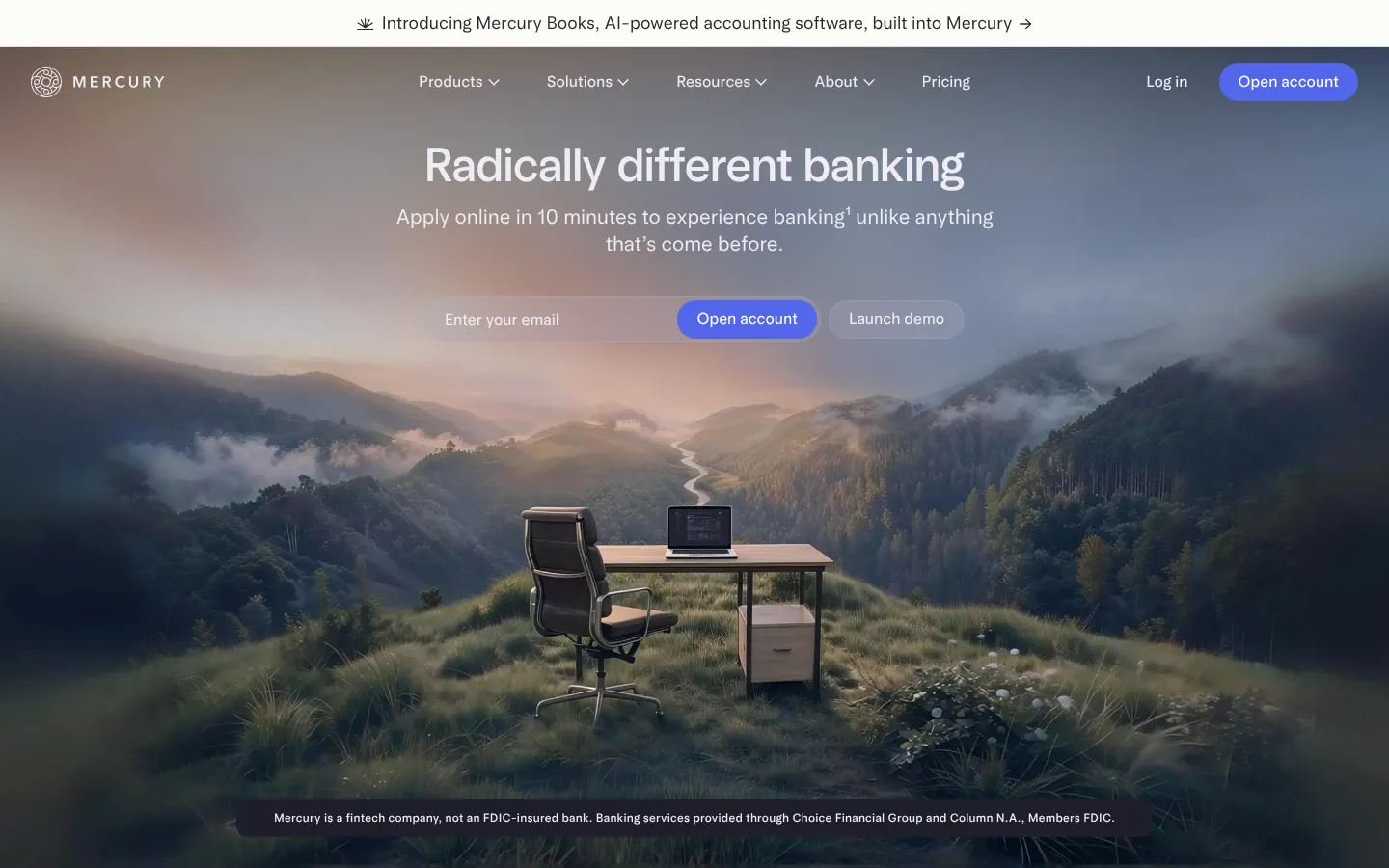
7. Mercury
Category: Fintech / Banking for startups Stage: Series B+ URL:mercury.com
Mercury's site communicates "banking designed like a tech product" through every visual choice. The interface previews are prominent and detailed, the copy is direct and founder-friendly, and the color system is warm relative to the financial services category default. The trust signals — FDIC, SOC 2, customer testimonials from recognizable startups — are present without overwhelming the design. The site earns credibility through quality of execution, not through corporate visual language.
Takeaway: In financial services, differentiating through design quality signals that you take the product seriously — which is the trust signal that matters most.
supabase.com
8. Supabase
Category: Developer infrastructure / Backend-as-a-service Stage: Series B URL:supabase.com
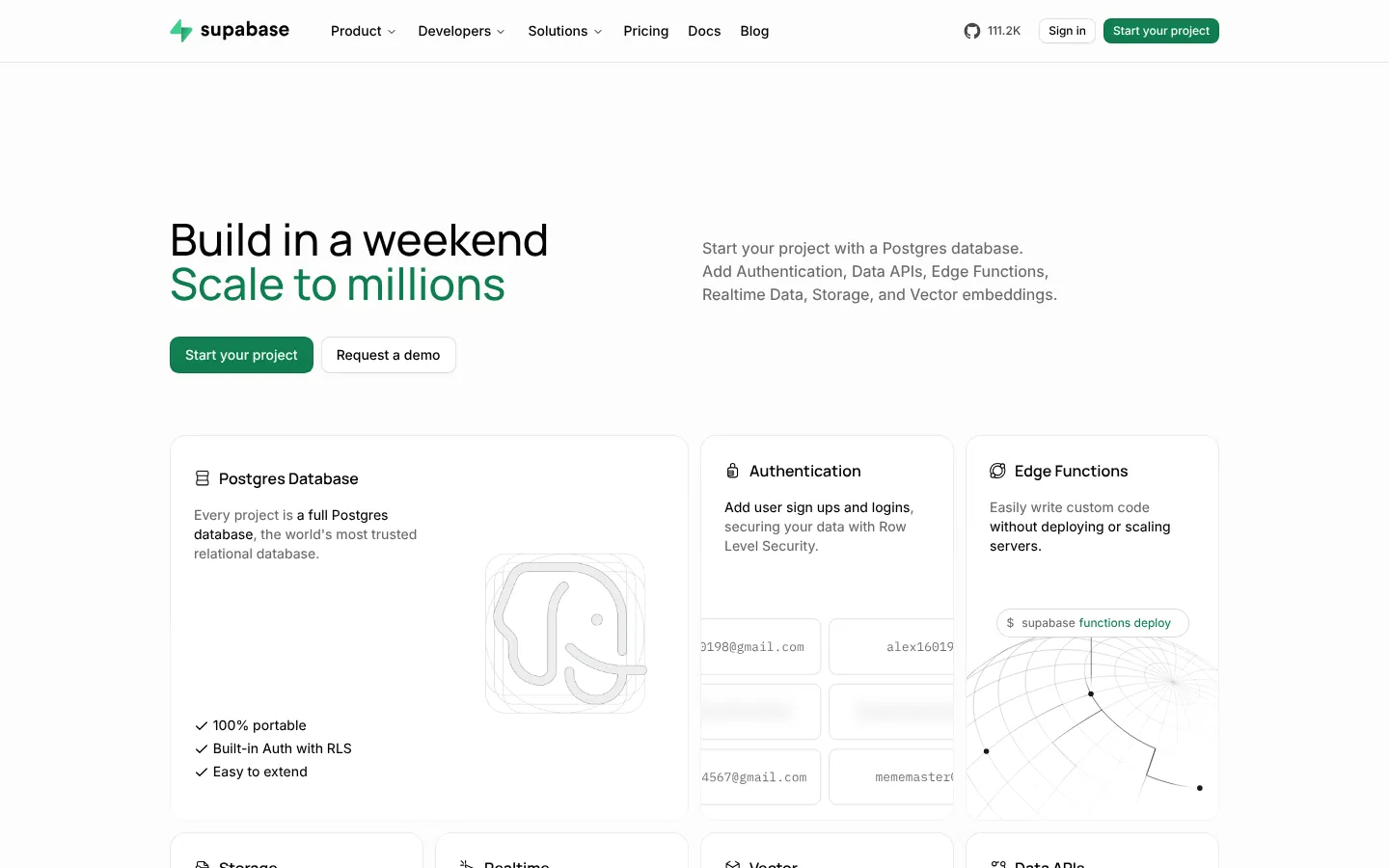
Supabase's bold green color choice is one of the most effective visual differentiators in developer tooling — in a category that defaults to blues and grays. The homepage leads with code, which signals immediately that this is a product for builders. The open-source positioning is woven throughout without being overstated. Documentation and starter templates are accessible from the marketing site. This is a strong reference for a SaaS branding agency working in developer-facing products.
Takeaway: Distinctive color choices in a visually converged category earn recognition that outlasts any copy decision.
vercel.com
9. Vercel
Category: Developer infrastructure Stage: Series C+ URL:vercel.com
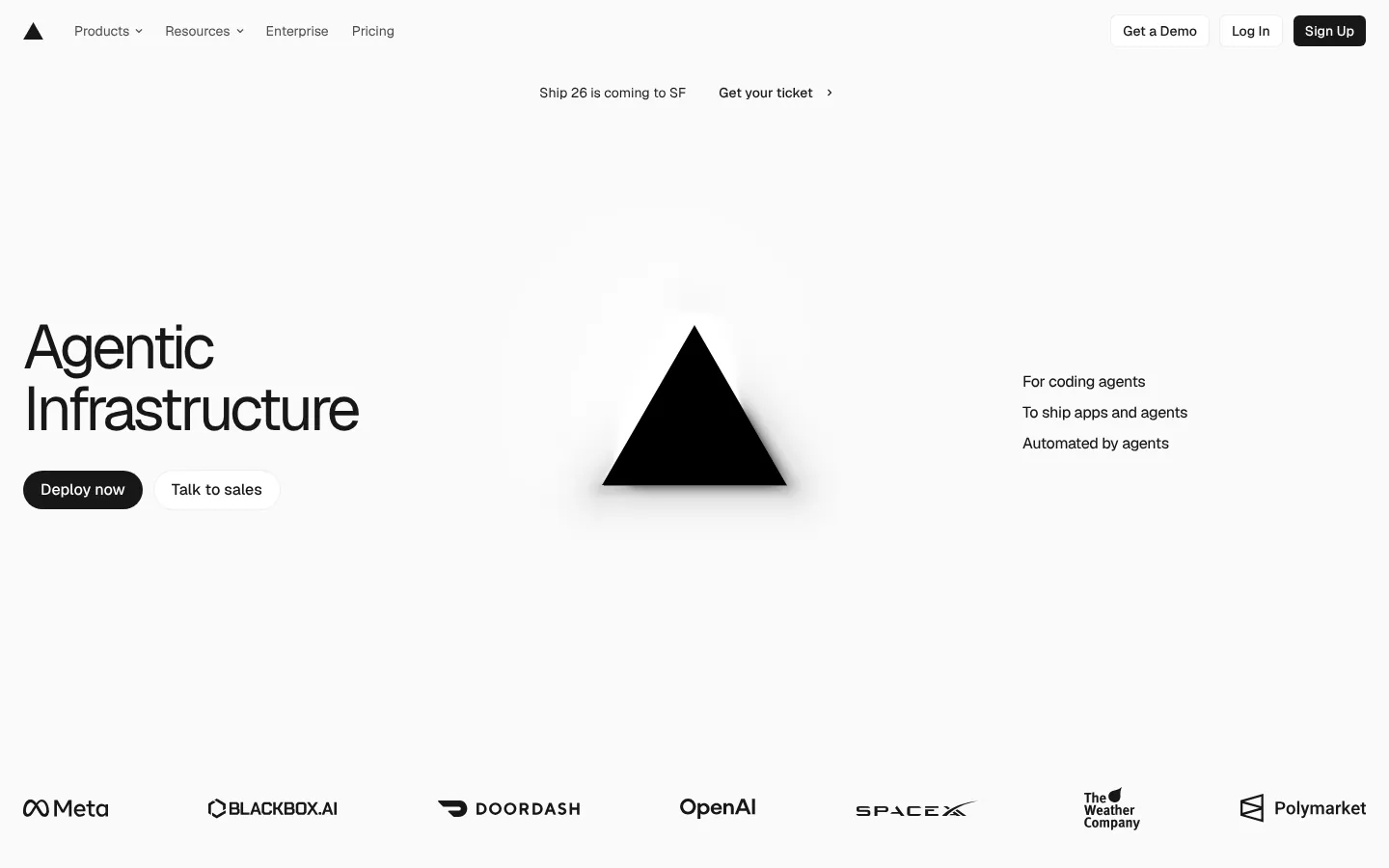
Vercel's homepage demonstrates deployment speed through an animated build log in the hero — the product claim is demonstrated, not just stated. The site serves both developer evaluators (who need technical specifics) and engineering leadership (who need enterprise credibility) without sacrificing either. The customer logo block features names with genuine weight in engineering circles. The site itself loads very fast, which is the most credible possible demonstration of performance.
Takeaway: When your product's core claim is speed, demonstrate it on the marketing site itself.
framer.com
10. Framer
Category: Web design SaaS Stage: Series A URL:framer.com
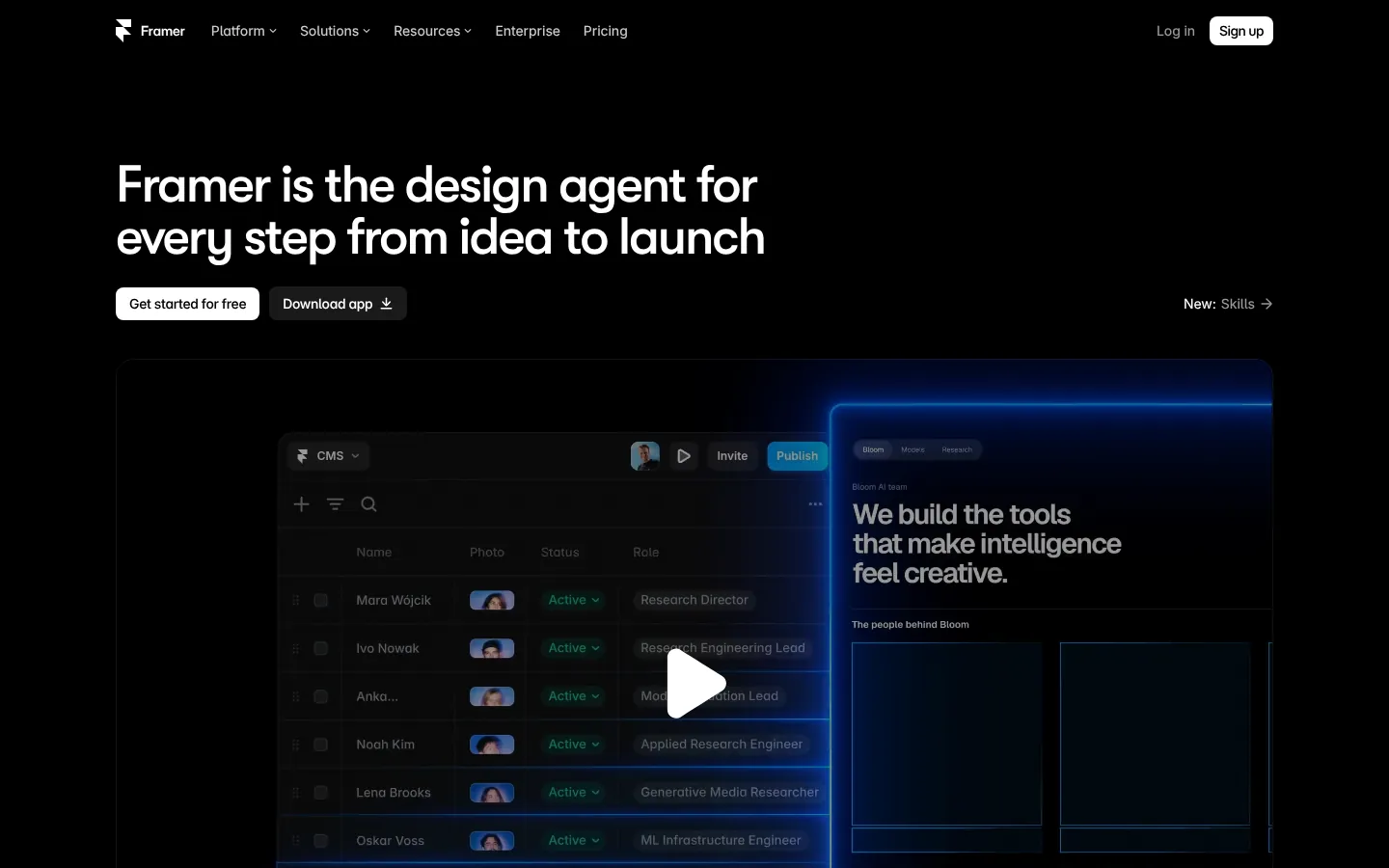
Framer's website has to perform for an audience of designers and web builders — people who will evaluate its visual quality with professional scrutiny. The result is a site that moves between showcase and product demo fluidly. Interactive elements, embedded site examples, and a premium visual system all communicate what the product enables. The site is built in Framer, which is its own demonstration. For a custom Webflow site with comparable visual ambition, professional startup website design handles the equivalent scope in the Webflow ecosystem.
Takeaway: For products where the output is visual, building the marketing site in your own product is the strongest possible demonstration.
retool.com
11. Retool
Category: Internal tools / Low-code SaaS Stage: Series C URL:retool.com
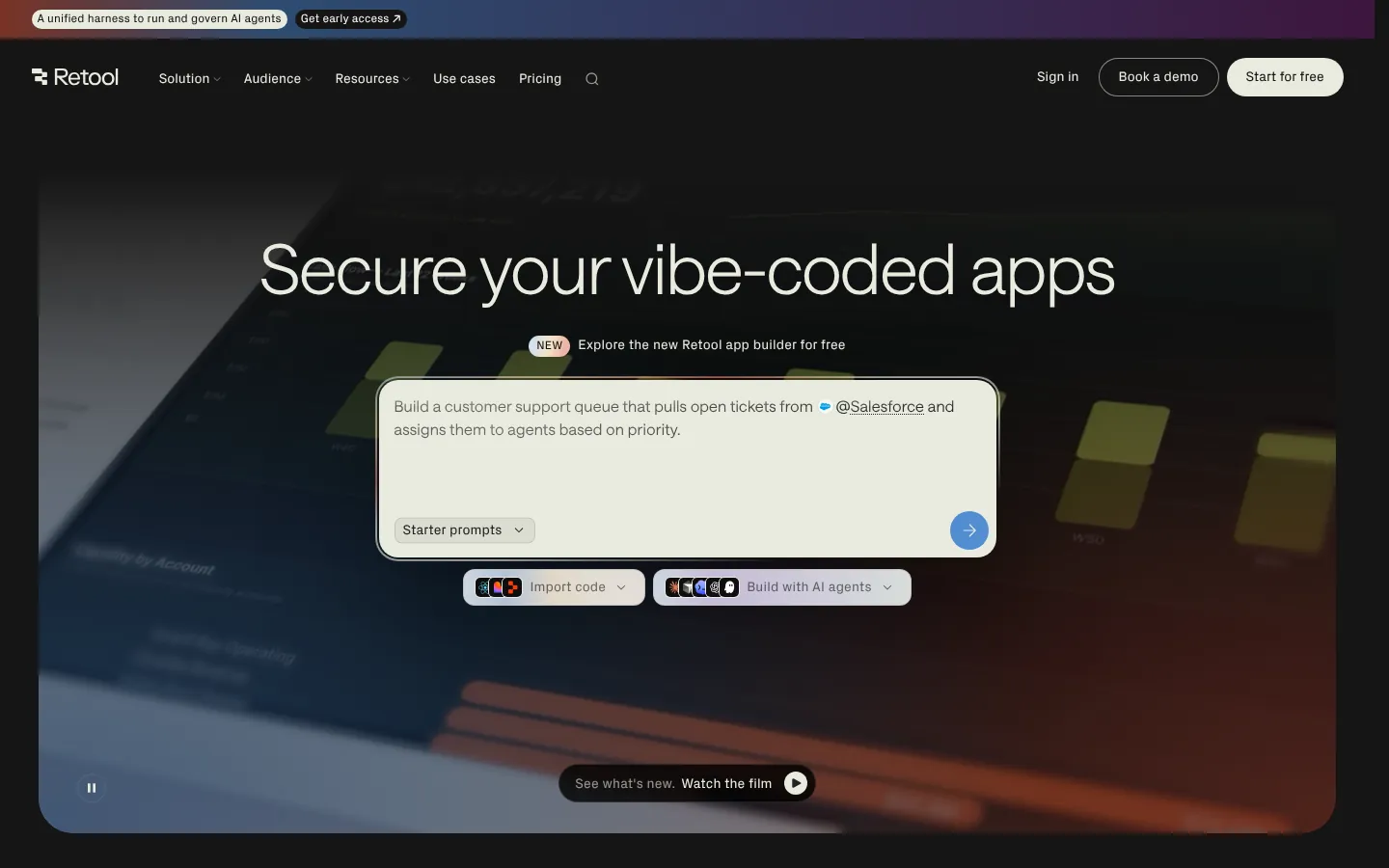
Retool manages a complex dual-audience positioning — developers who build with the platform, and business stakeholders who approve purchasing it. The site addresses both through layered messaging: technical specifics for the builders, business-case framing for the approvers. Enterprise trust signals are prominent throughout. The product demo is detailed and contextual. This is a useful reference for B2B products with multiple distinct buyer types.
Takeaway: When your product serves both a builder audience and a buyer audience, design the navigation to serve both without diluting either.
runwayml.com
12. Runway
Category: AI / Creative tools Stage: Series C URL:runwayml.com
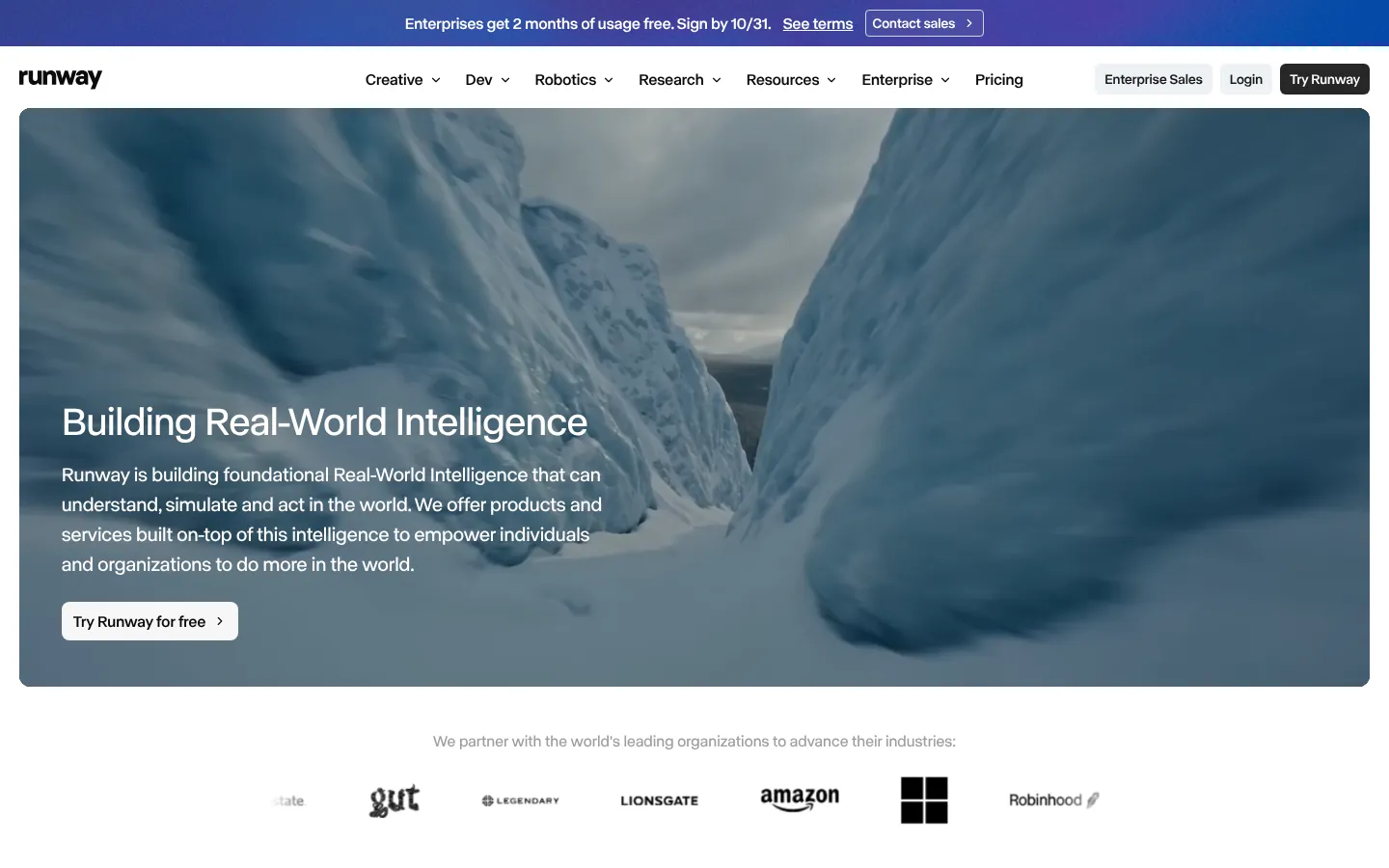
Runway demonstrates its product through output quality rather than feature descriptions. The homepage is video-forward — AI-generated video examples are the hero content. This reverses the typical marketing site structure: the outputs come before any explanation of how they're produced. For a creative AI product competing on quality, this is the right hierarchy. The visual aesthetic is more consumer-creative than enterprise SaaS, which matches the positioning accurately.
Takeaway: Show outputs before explaining processes. Let the quality of the work do the persuasion.
cursor.com
13. Cursor
Category: AI / Code editor Stage: Series B URL:cursor.com
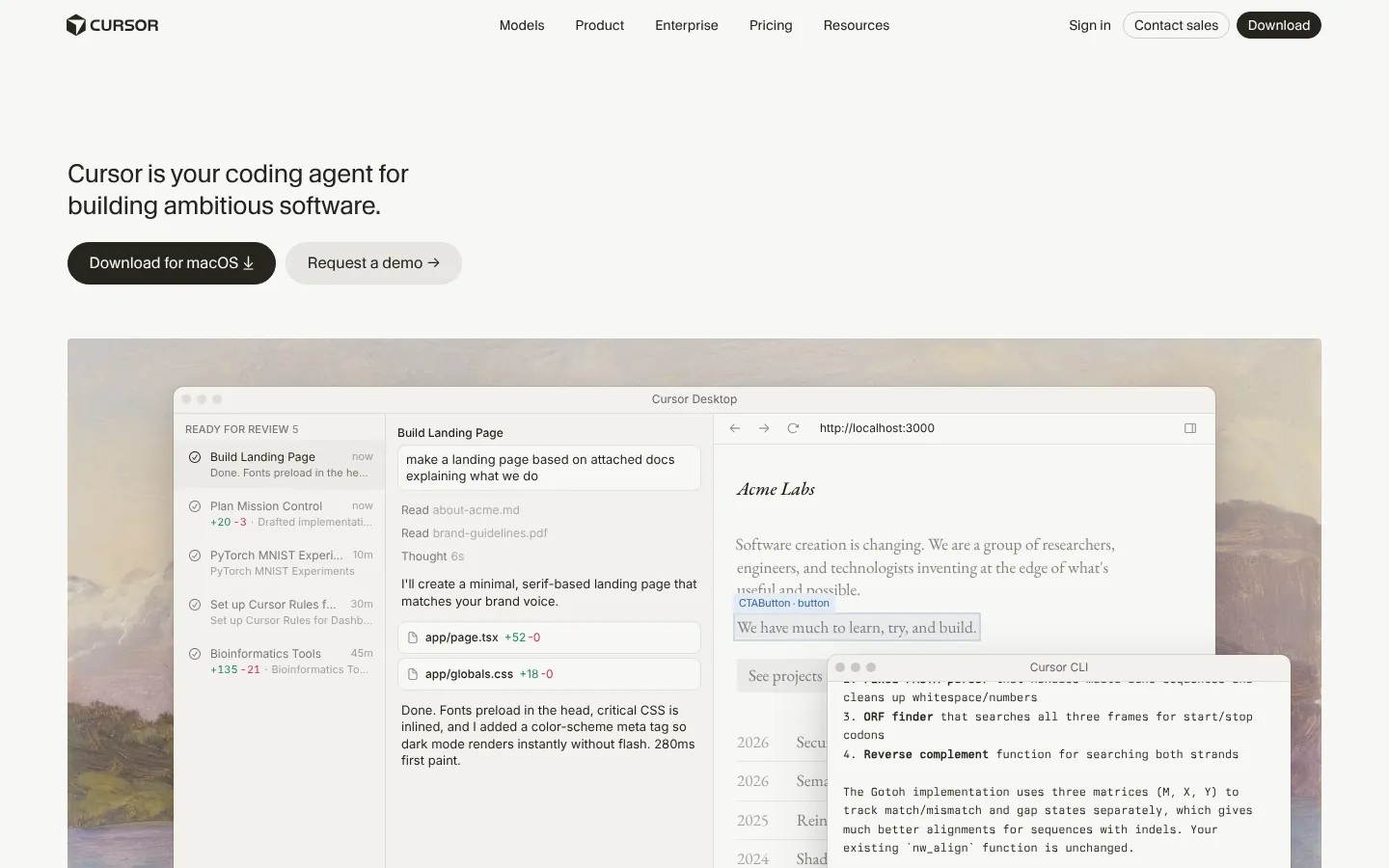
Cursor's homepage is direct and fast: a precise headline, a product demo animation, and a download button. Nothing competes with the primary CTA. The site correctly identifies that its best conversion argument is the product itself, and minimizes the distance between landing and downloading. For a developer tool where the value proposition is immediately demonstrable, this restraint is a strategic choice, not a lack of design ambition.
Takeaway: The best startup website for a developer tool is one that gets out of the way and lets the product speak.
replit.com
14. Replit
Category: Developer tools / Online IDE Stage: Series B+ URL:replit.com
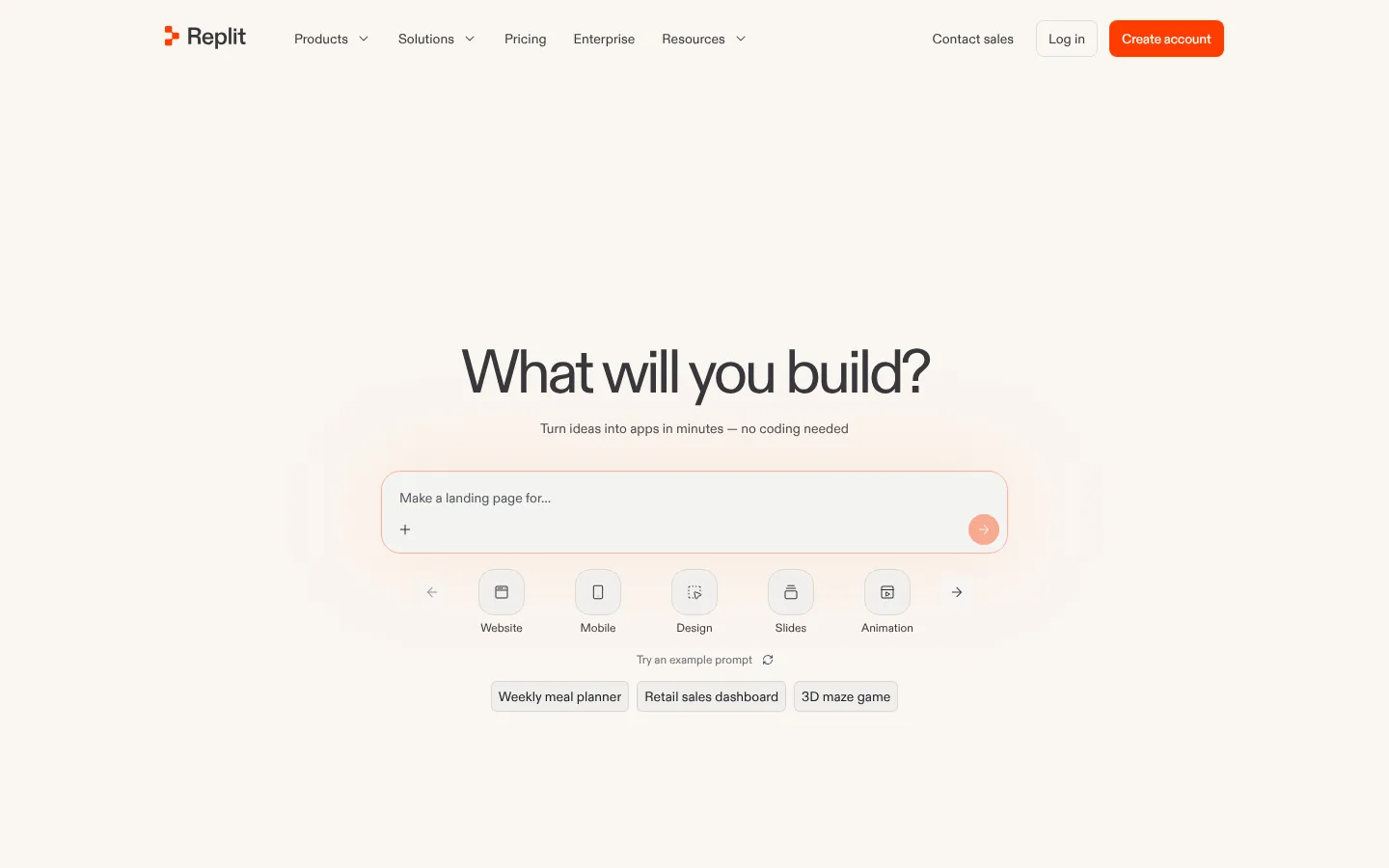
Replit's site successfully serves a range of users from students to professional engineers without becoming incoherent. The AI-forward positioning is integrated throughout. Product demos are prominent. The pricing page is clear and includes a generous free tier. The visual system is warm and approachable — appropriate for a product that explicitly wants to lower the barrier to building software. One of the stronger startup website examples for broad-audience developer products.
Takeaway: Products with users across multiple skill levels should lead with outcomes, not mechanisms.
webflow.com
15. Webflow
Category: No-code web platform / SaaS Stage: Late-stage URL:webflow.com
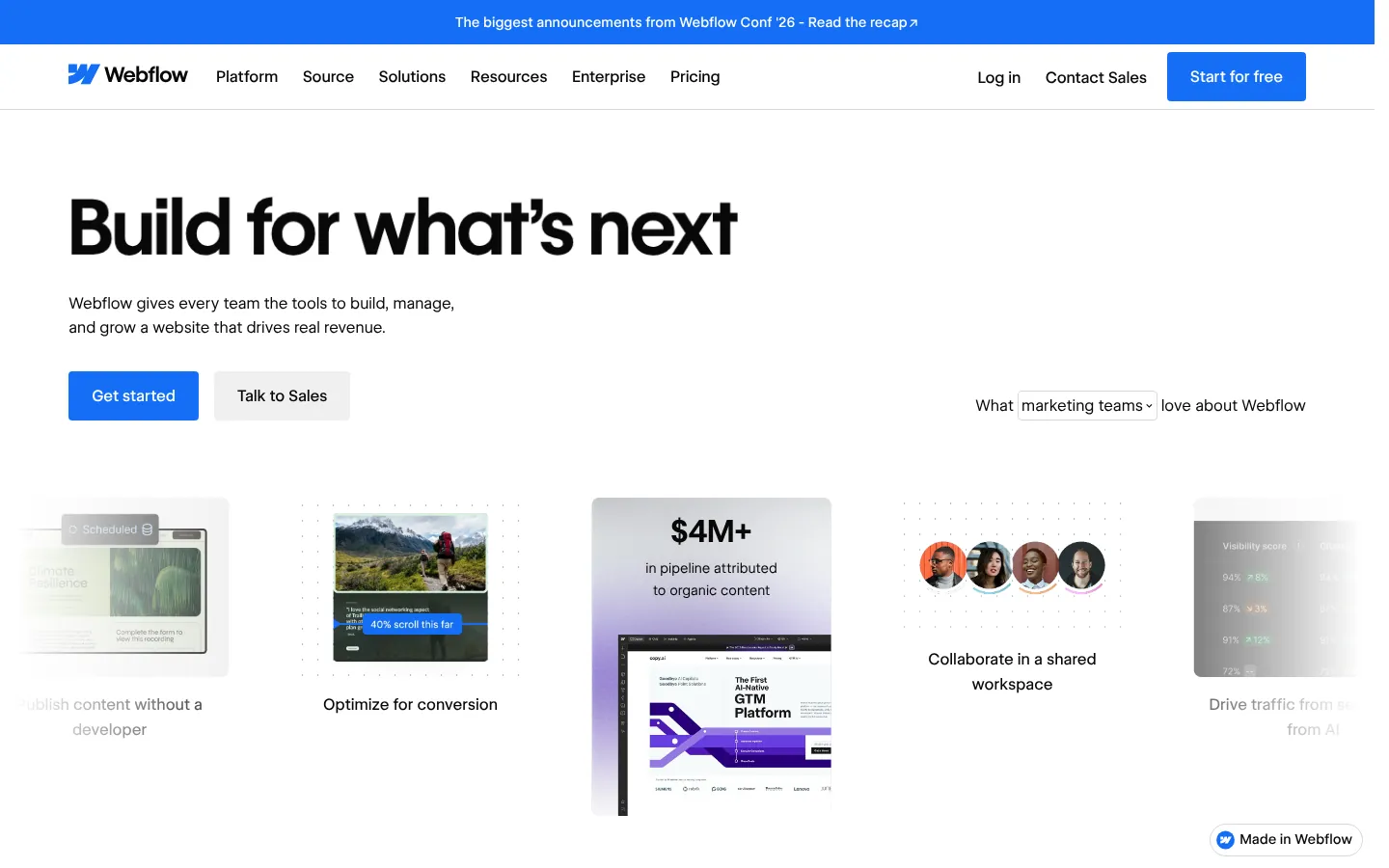
Webflow's site has to impress professional designers and convince non-technical buyers simultaneously. The product examples are embedded throughout. The design system is visually distinctive. The enterprise section is handled on a dedicated page that maintains brand coherence without corporate stiffness. The site is built in Webflow, which is the most credible demonstration it could make. Complex product navigation is handled through clear visual hierarchy rather than mega-menus.
Takeaway: For products with both prosumer and enterprise buyers, dedicated sections outperform a single homepage trying to serve everyone.
Brex's current site communicates enterprise financial infrastructure credibly — the dark aesthetic, the dashboard product previews, and the enterprise customer logos all position it in the enterprise spend management category. The visual system has matured with the company's strategic repositioning from "startup card" to "enterprise platform." This is a useful reference for startups that need their website to track a meaningful change in company positioning.
Takeaway: When a company repositions, the website needs to lead that change with visual and copy decisions that reflect the new market context.
Ramp's site is fast, clean, and built around a specific quantified claim in the hero. "Save an average of X%" is the kind of hero headline that earns attention from the right buyers because it's specific and testable — unlike generic value propositions about "empowering teams." The social proof block features recognizable company names with specific outcomes. Every section of the site is doing clear commercial work.
Takeaway: Specific, quantified claims in the hero outperform aspirational copy for buyers who are actively evaluating alternatives.
tailscale.com
18. Tailscale
Category: Security / Zero-trust networking Stage: Series B URL:tailscale.com
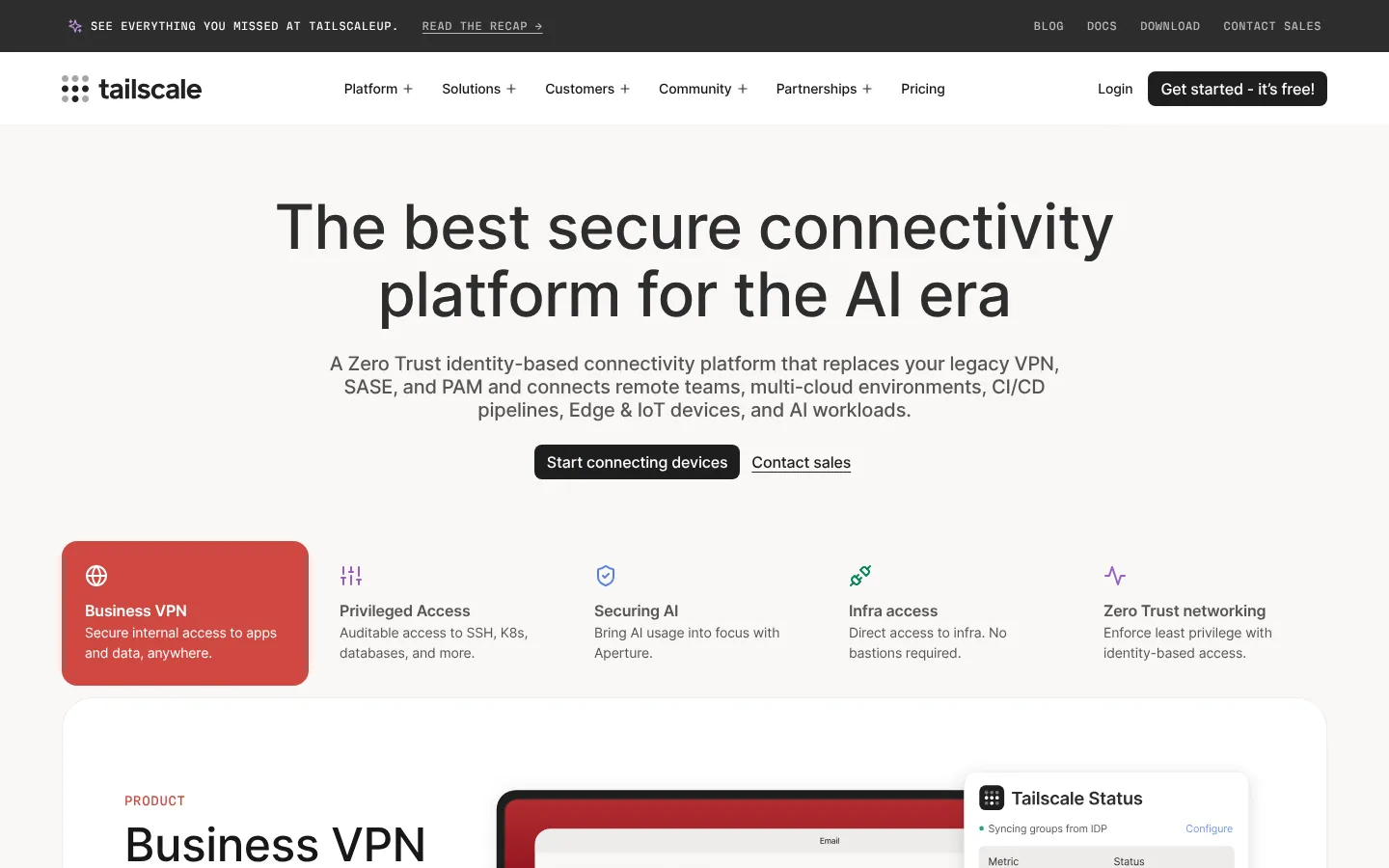
Tailscale's site is developer-facing security done right: technical and specific copy, prominent transparent pricing, a generous free tier clearly explained, and no "contact us to learn about enterprise pricing" friction for technical buyers who want to evaluate independently. The design is clean without being generic. Documentation is accessible from the marketing site. For security products selling to engineering teams, this is a strong reference.
Takeaway: Transparent pricing is a trust signal for technical buyers. Hiding it creates friction at the exact moment when credibility matters most.
cloudflare.com
19. Cloudflare
Category: Security / Network infrastructure Stage: Public URL:cloudflare.com
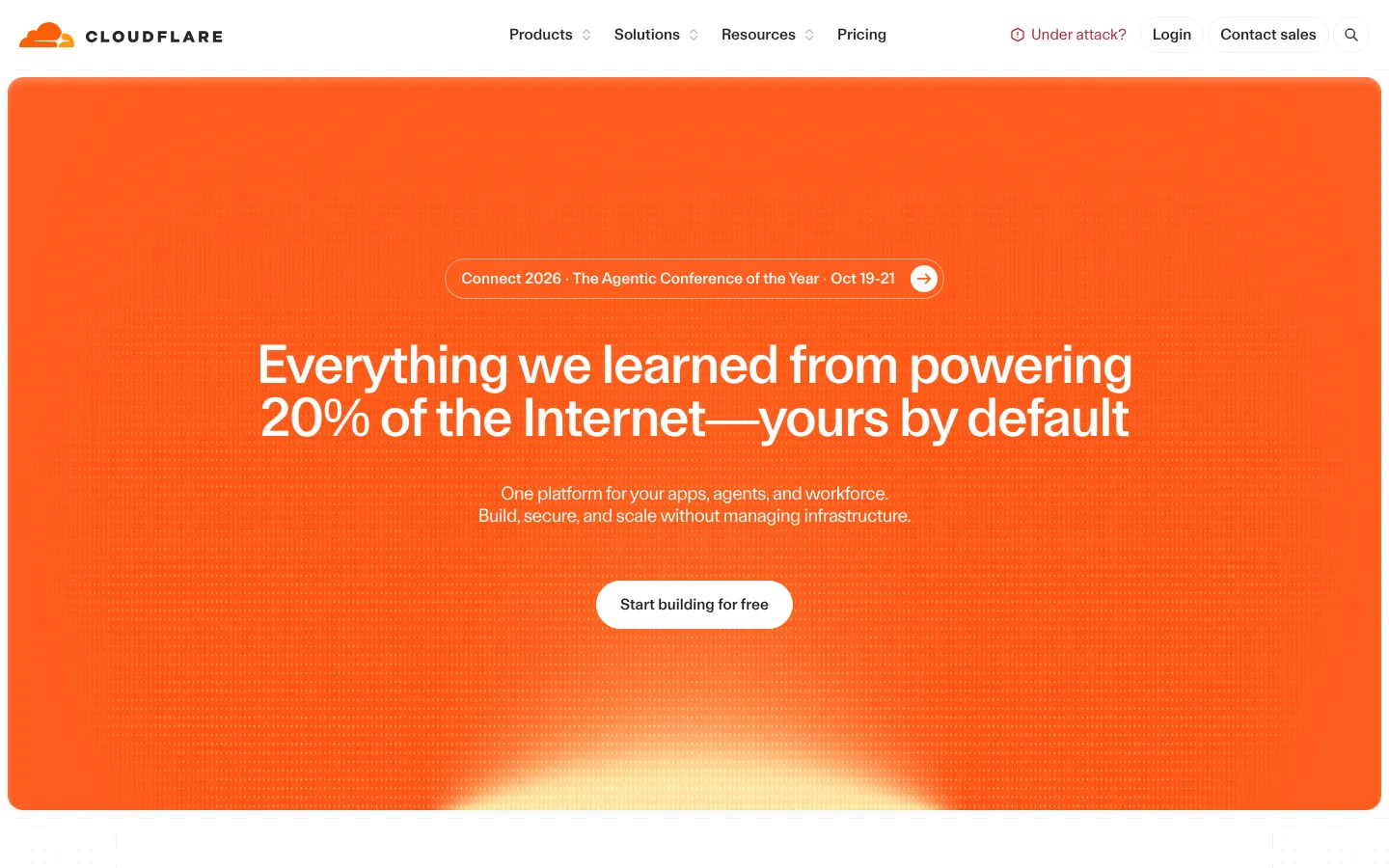
Cloudflare manages extraordinary product breadth — CDN, security, DNS, zero trust, developer platform — with unusual navigational clarity. The homepage communicates scale through specific numbers rather than marketing language. The product navigation is organized by problem and persona rather than product category, which reduces the cognitive work for visitors with specific needs. One of the best startup website examples for companies managing a complex multi-product portfolio.
Takeaway: When product breadth is a clarity liability, lead with customer problems and outcomes rather than product features.
1Password balances consumer accessibility and enterprise security credibility better than most security products. The design is warm relative to the security category default — a deliberate choice that differentiates against competitors who use dark, aggressive aesthetics. The product demos are clear. The compliance documentation is treated as a marketing asset. The pricing page is transparent and well-organized.
Takeaway: Category visual conventions are a starting point for differentiation, not a mandate. Warmth can be a competitive advantage in a cold-feeling category.
huggingface.co
21. Hugging Face
Category: AI / ML platform Stage: Late-stage URL:huggingface.co
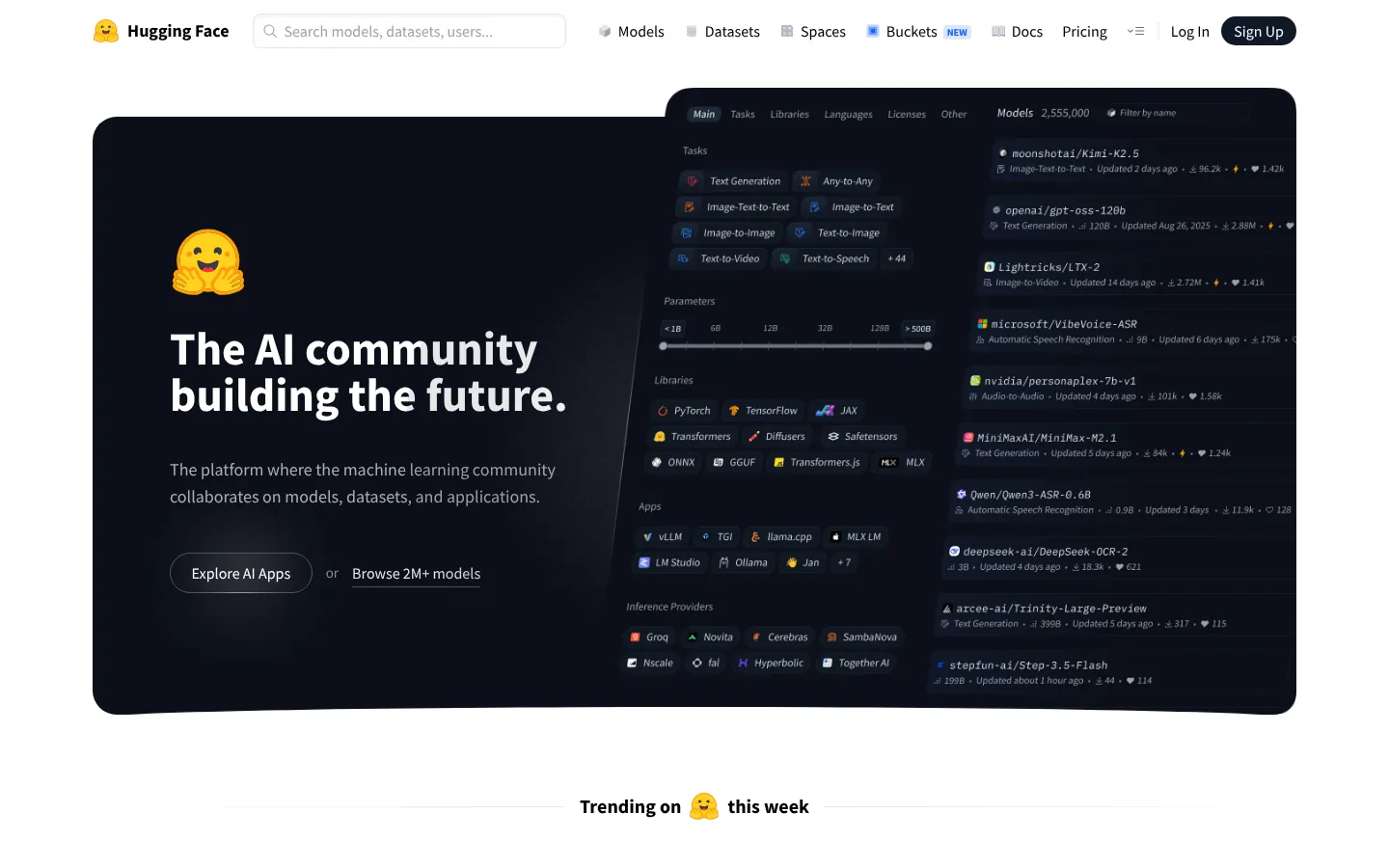
Hugging Face's site looks different from every other AI company — informally structured, emoji-forward, organized around the community repositories that constitute the actual product. The aesthetic communicates openness and accessibility in a category that often presents itself as inaccessible. The product is the community, and the site makes the community visible and navigable from the first scroll. An unusual but instructive tech startup website reference.
Takeaway: If your product is community-driven, let the community be the hero of the marketing site.
discord.com
22. Discord
Category: Consumer tech / Community platform Stage: Late-stage URL:discord.com
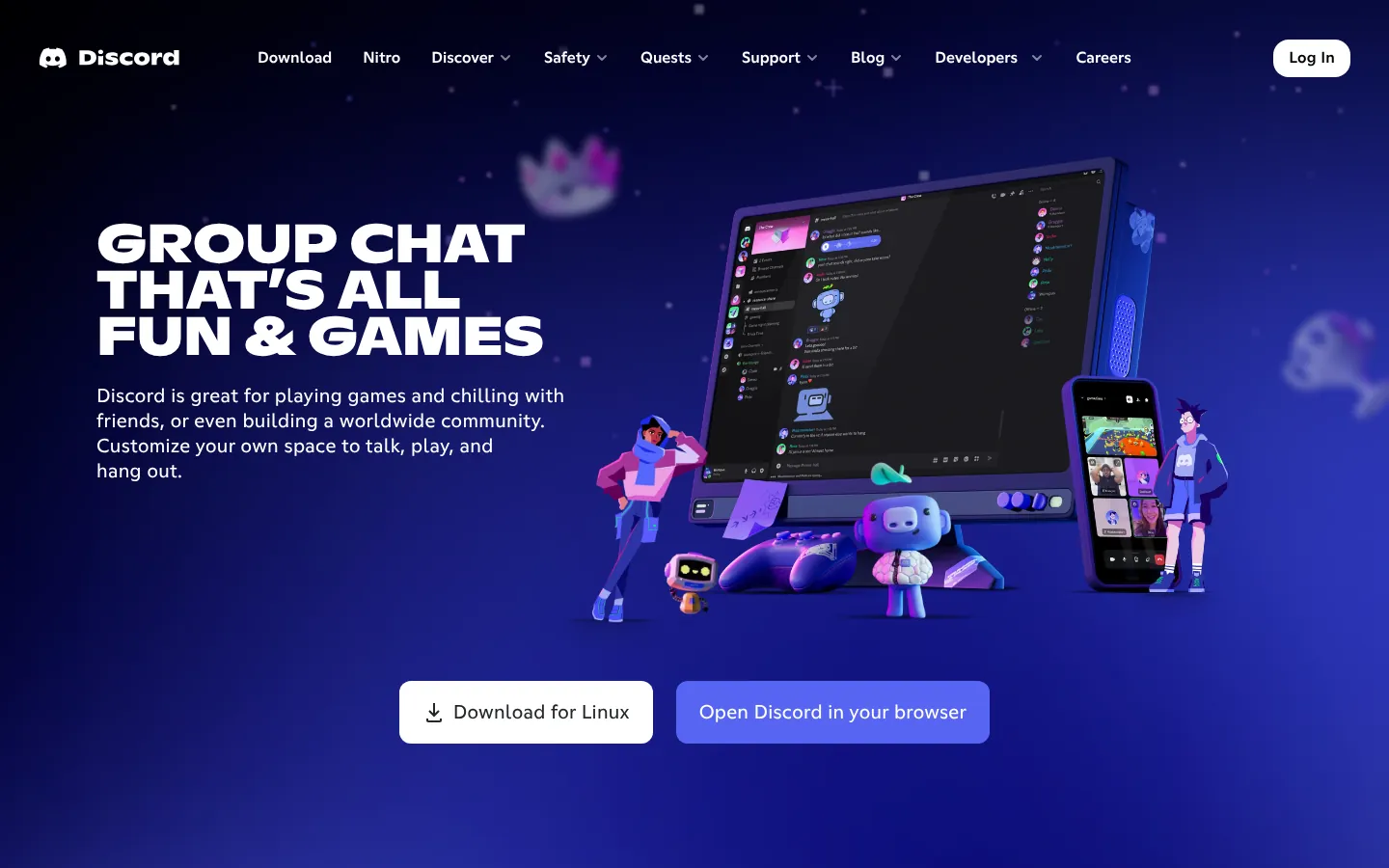
Discord's current site maintains the approachable character-forward identity while communicating the product's expansion from gaming into broader community use cases. The Clyde mark is prominent and consistent. The site loads quickly. The product is demonstrated through community examples rather than feature lists. For consumer products where the audience is also the content, showing the community is the most authentic marketing approach.
Takeaway: Consumer community products market most effectively by showing the community, not describing it.
duolingo.com
23. Duolingo
Category: Consumer tech / EdTech Stage: Public URL:duolingo.com
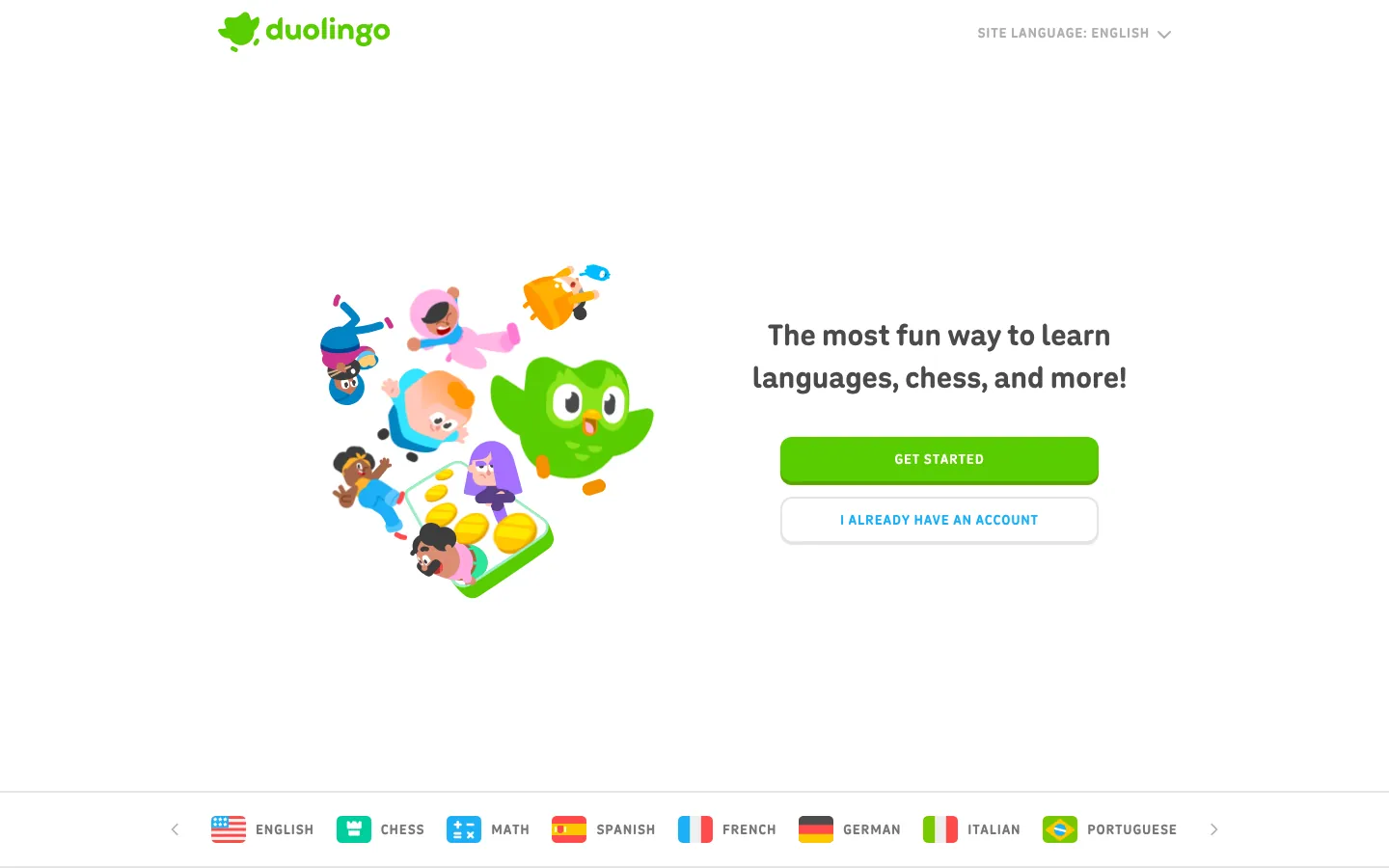
Duolingo's site leads with the character — Duo the owl — as the primary visual element. This is an unusual choice for a startup website design, but it's strategically correct: the character carries the brand personality and creates the emotional connection that drives daily engagement. The site communicates the product's gamification approach through its own design. One of the clearest examples of a consumer product where brand personality is the primary conversion driver.
Takeaway: For consumer products where emotional engagement drives retention, brand character should lead the marketing site.
airbnb.com
24. Airbnb
Category: Consumer tech / Marketplace Stage: Public URL:airbnb.com
Airbnb's current site is refined consumer marketplace design — the search experience is the homepage, which immediately demonstrates what the platform is and how it works. The photography is specific and location-contextual rather than lifestyle-generic. The trust layer — host identity, verified reviews, flexible cancellation — is visible throughout without being foregrounded. For marketplace startups, Airbnb's approach to product-as-homepage is the reference case.
Takeaway: For marketplace products, embedding the core product interaction directly in the homepage is the most effective possible demonstration.
railway.app
25. Railway
Category: Developer infrastructure / Deployment Stage: Series A URL:railway.app
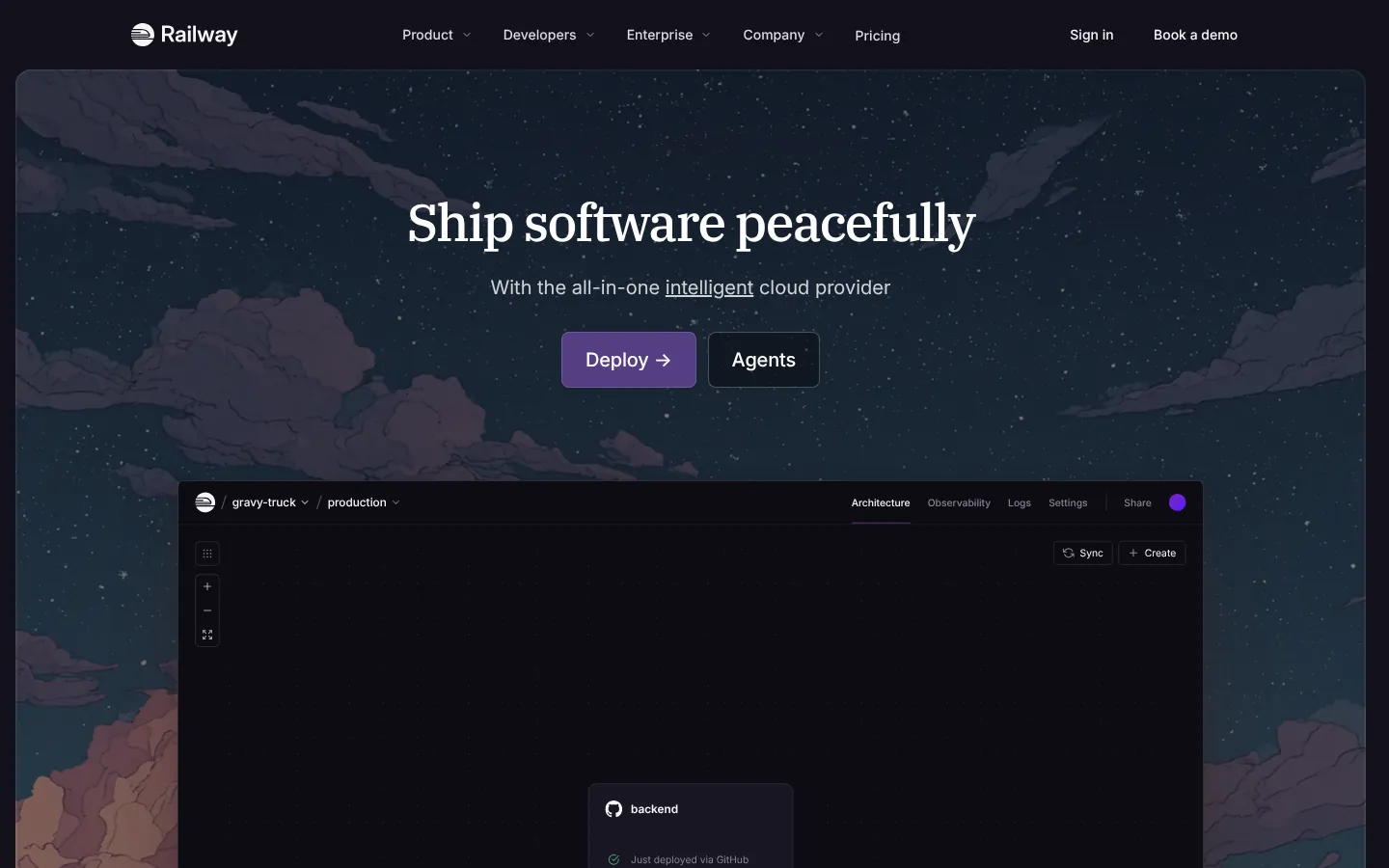
Railway's site achieves something technically specific: it makes infrastructure deployment feel approachable without losing technical credibility. The purple-dominant identity is warm relative to infrastructure product defaults. The deployment visualization in the hero communicates the product's core function visually rather than textually. The pricing page is transparent and starts with a developer-friendly free tier. A strong reference for smaller-team infrastructure startups.
Takeaway: Infrastructure products can have approachable design aesthetics without sacrificing technical credibility.
wise.com
26. Wise
Category: Fintech / International transfers Stage: Public URL:wise.com
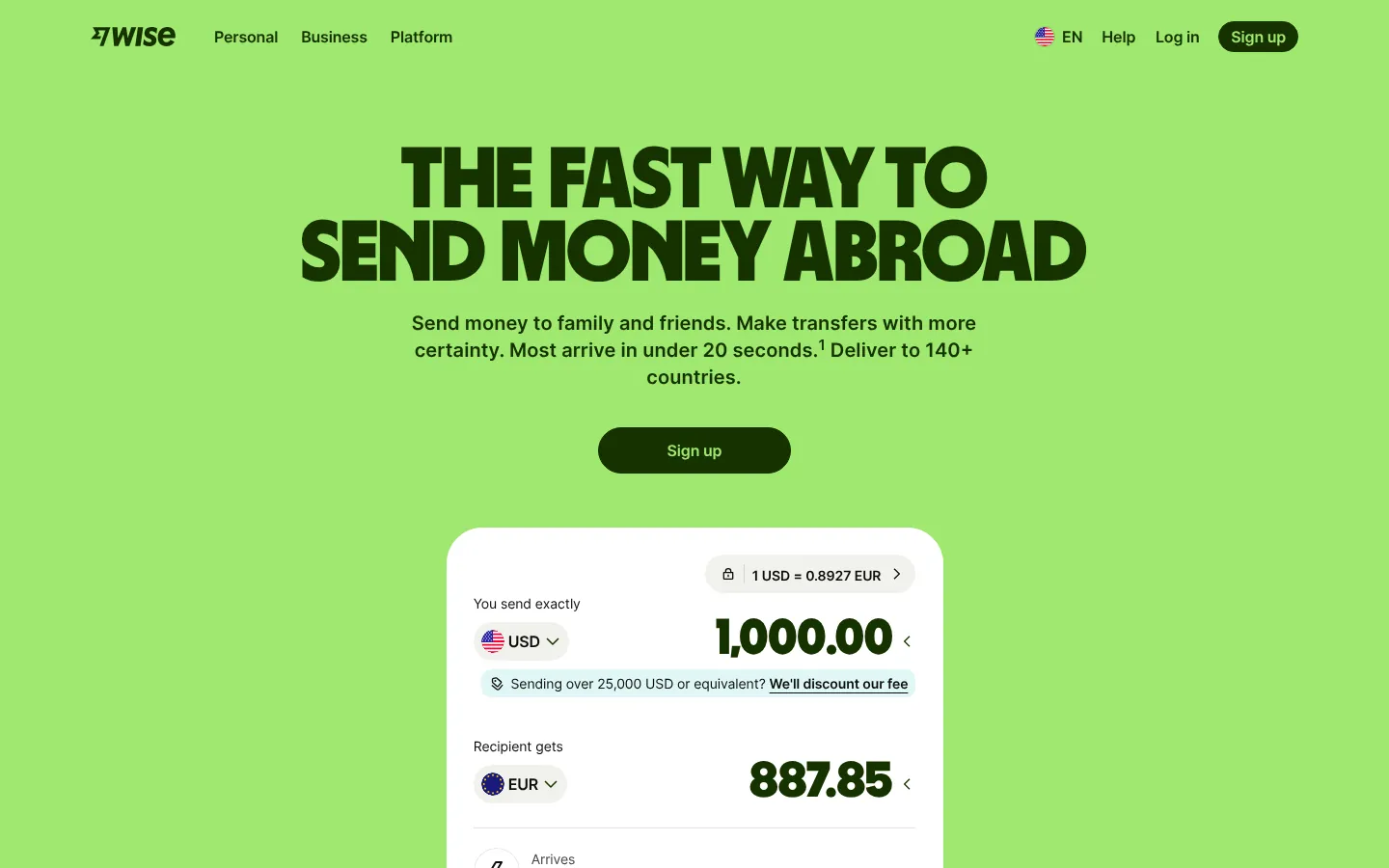
Wise's site consistently positions against incumbent banks through transparency: fee comparisons are shown, real exchange rates are featured, and the trust signals focus on what makes Wise different from the alternative. The visual system is clean and direct. For a startup website competing against established players with deep brand equity, making the comparison explicit is often more effective than avoiding it.
Takeaway: When your differentiation is transparency, let your pricing and product design make that argument explicitly.
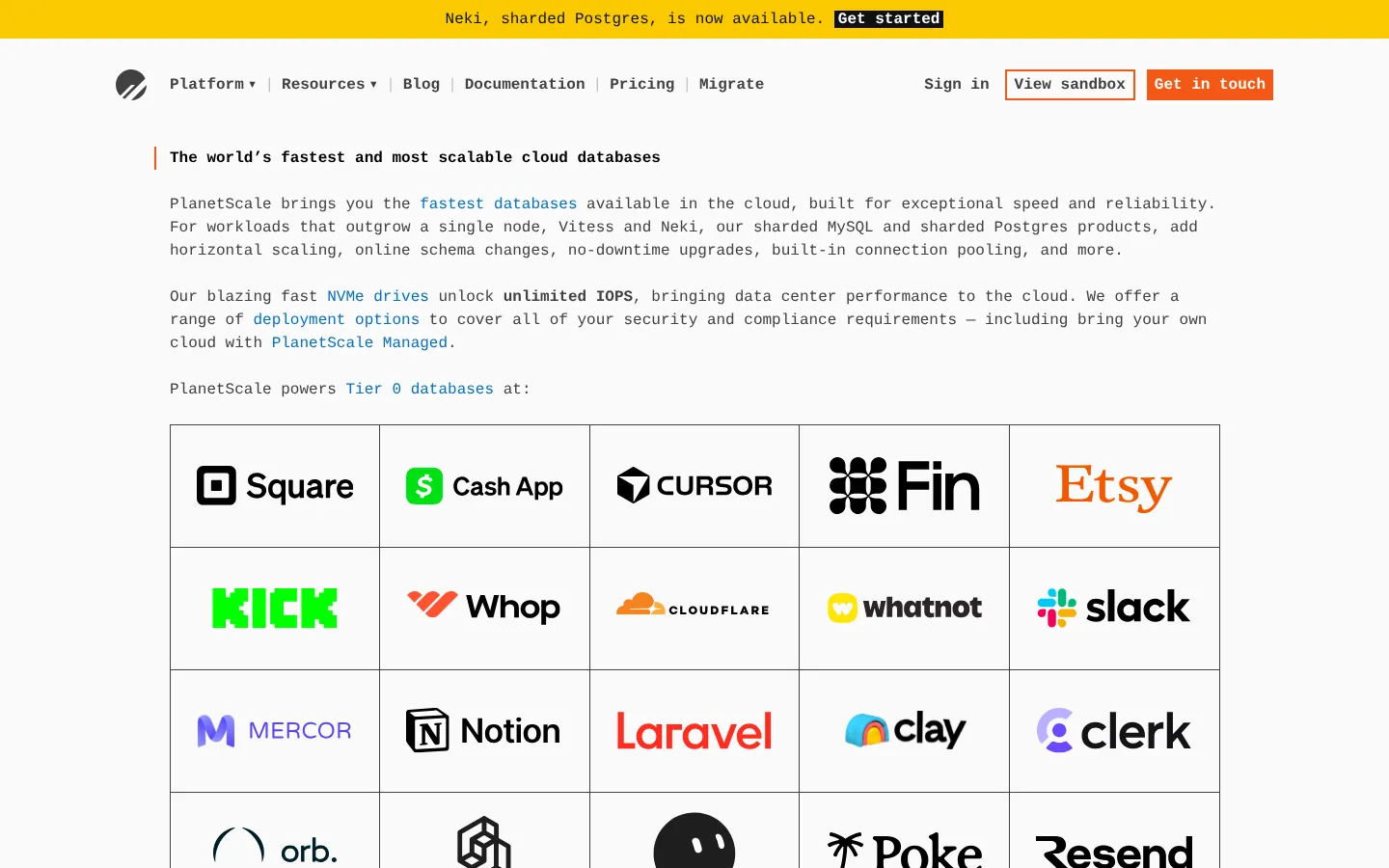
PlanetScale's site communicates database infrastructure to a technical audience with confidence. The code-forward content signals immediately that this is built for engineers. Technical documentation is prominent and well-organized. The marketing copy leads with technical specifics rather than benefits — which is the right choice for an audience sophisticated enough to evaluate claims on their merits. Worth verifying current site status given recent organizational changes.
Takeaway: For technical audiences, specificity is more persuasive than polish. Lead with the technical substance.
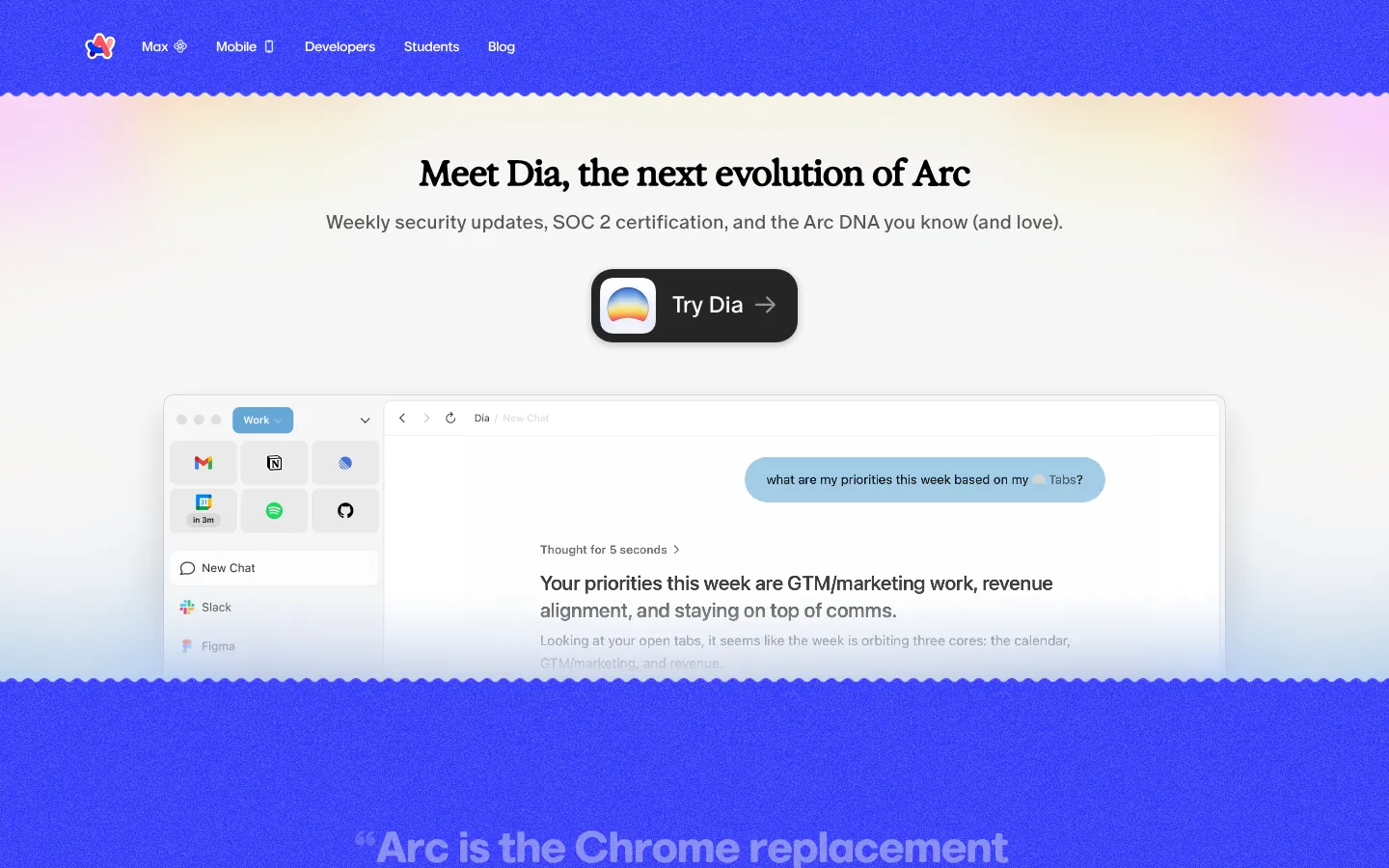
Arc's site matches the product's ambition to reinvent a category most people thought was settled. The visual design is distinctive and consumer-forward — more lifestyle than utility, which accurately reflects the positioning. The product is demonstrated through animated previews. The site creates a sense of discovery that mirrors what using Arc feels like. For category-creation products, the website has to communicate why the category needed reinventing.
Takeaway: If you're reinventing a settled category, the marketing site needs to create the same sense of discovery the product delivers.
bsky.app
29. Bluesky
Category: Social tech / Decentralized social Stage: Growth URL:bsky.app
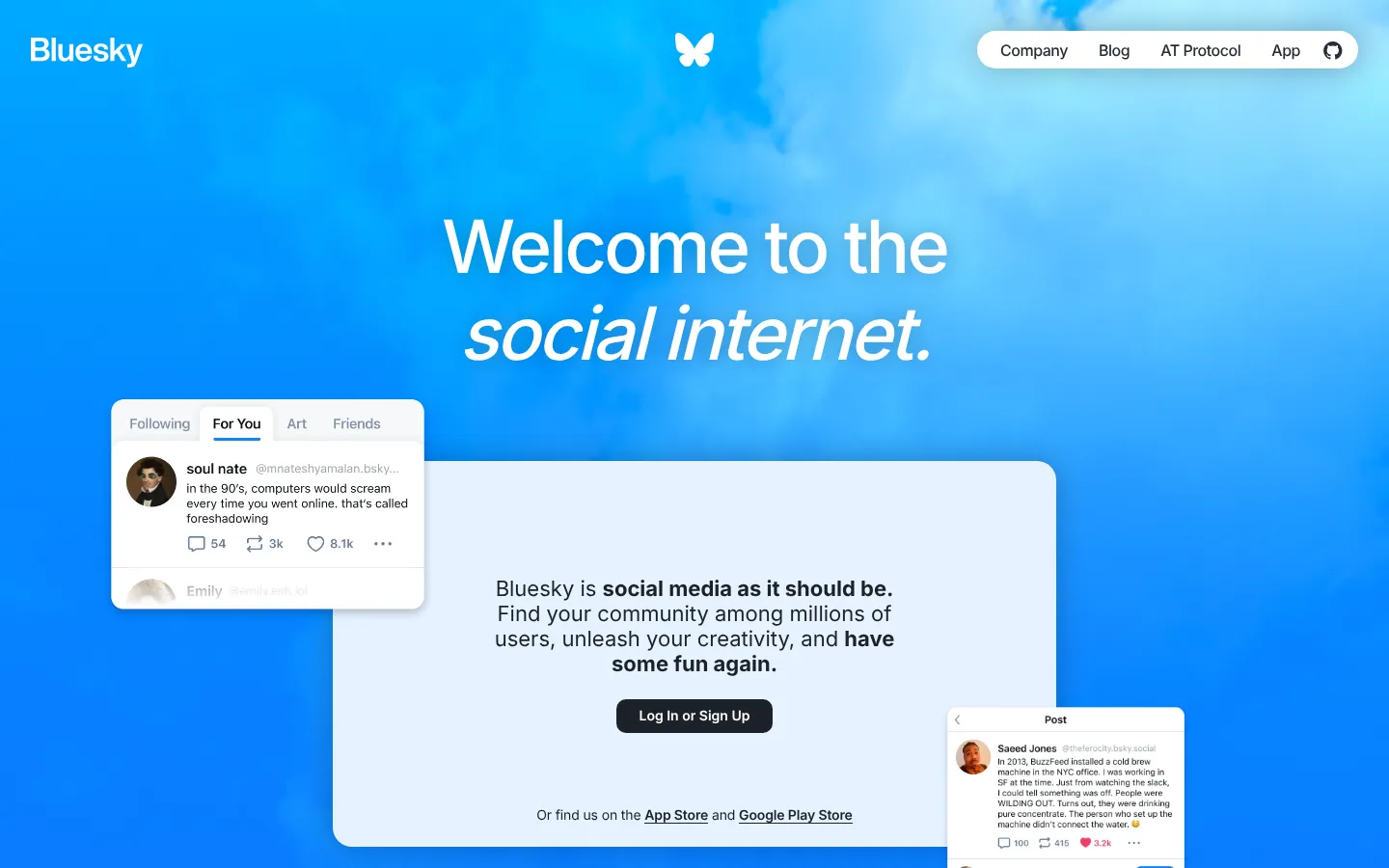
Bluesky's site communicates its decentralized, open-protocol positioning clearly without requiring a technical explanation. The design is cleaner and less corporate than legacy social platforms. The sign-up flow is the primary CTA. For a social product competing primarily on values — openness, user control, interoperability — the website has to make those values legible immediately without requiring the visitor to understand the underlying technology.
Takeaway: Values-based differentiation needs to be communicated visually before it's explained in copy.
loom.com
30. Loom
Category: SaaS / Async video Stage: Acquired / Scale URL:loom.com
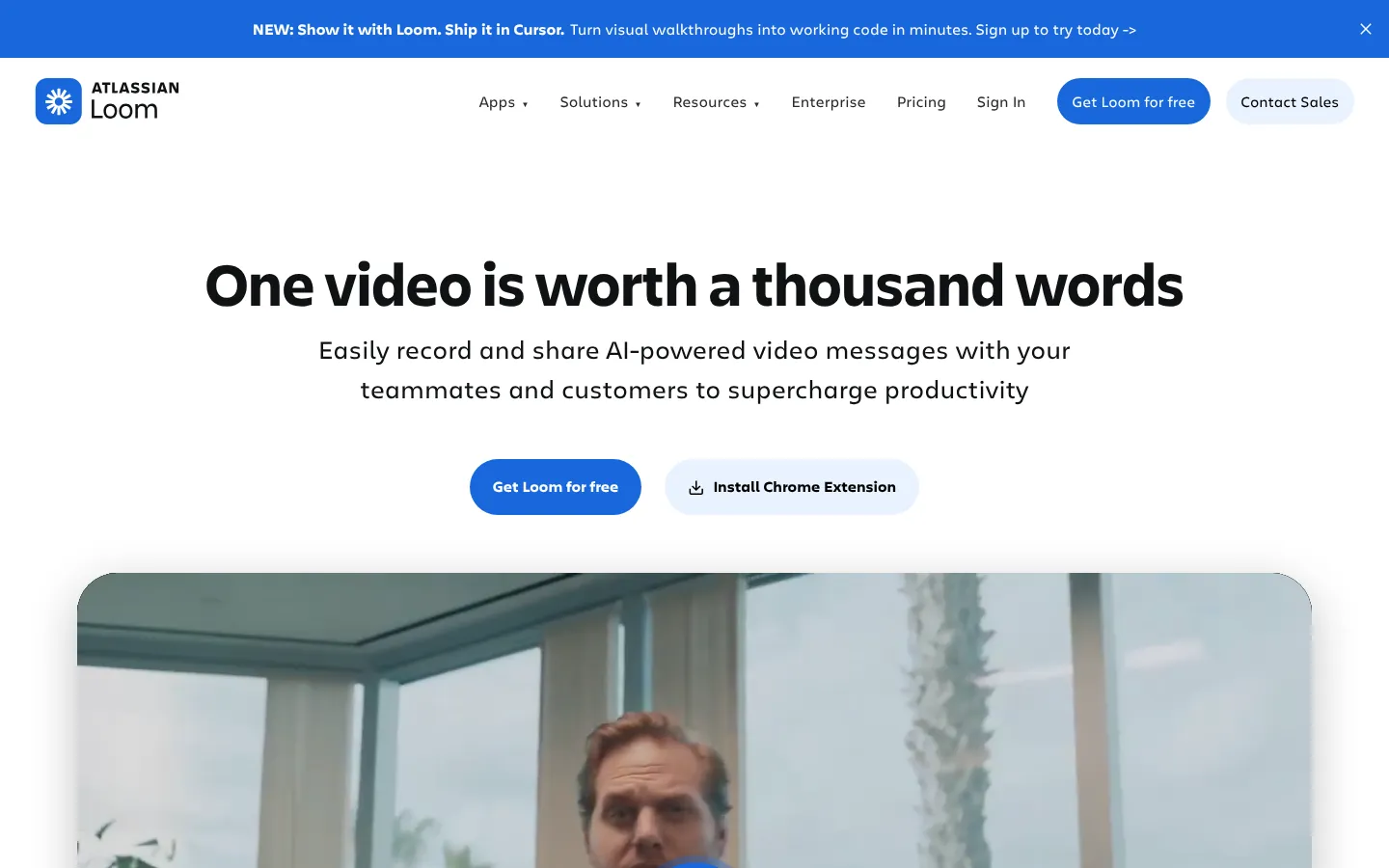
Loom's homepage embeds actual video examples in the hero — the product is present within the first second. The use cases are specific and professional: "replace this meeting," "review this code," "give this feedback." The copy is action-oriented rather than feature-oriented. Since the Atlassian acquisition, enterprise integration messaging has been added without disrupting the product's accessible, human tone. A good reference for productivity SaaS with clear professional use cases.
Takeaway: Specific, named use cases convert better than abstract product descriptions for productivity tools.
Common Patterns Across Great Startup Websites
Looking across these 30 startup website examples, several design patterns repeat in the sites that perform best.
Product demo in the first or second scroll. Without exception, the best startup websites show the product — an interface screenshot, a workflow animation, an embedded demo — in the first or second section. This isn't a design preference; it's a conversion decision. Visitors who can see what they're evaluating convert better than visitors who have to imagine it.
Subtle founder or team presence. The strongest startup company website designs include human presence without making it a performance. A founder's face on the about page, a team photo that looks unstaged, a pull quote from an early employee. This signals authenticity in a way that stock photography of diverse teams in open-plan offices doesn't.
Distinctive display typography. The default web typographic stack — Inter, Geist, or similar neutral geometric sans-serifs — communicates "competent." Custom or distinctive display type communicates "intentional." The best startup websites make a specific typographic choice in the hero that communicates brand personality before the visitor reads a word.
Pricing transparency as a brand signal. The startups with the strongest websites are confident enough to show their pricing clearly. This creates a self-selection effect — the wrong buyers disqualify themselves before reaching sales, and the right buyers arrive with realistic expectations. Hiding pricing optimizes for lead volume; transparent pricing optimizes for lead quality.
Product-specific landing pages beyond the homepage. The most sophisticated startup website examples include dedicated pages for specific use cases, industries, or competitor comparisons — not a single homepage trying to serve everyone. This isn't about website size; it's about alignment between visitor intent and page content.
What Makes Startup Websites Go Wrong
Most startup website failures trace back to four specific decisions.
Generic hero imagery. Binary streams, abstract geometric shapes, AI-generated concept art, stock photos of diverse teams: these visuals communicate "technology" in the most generic possible sense. They differentiate nothing and signal to sophisticated visitors that no one made a real creative decision.
Value proposition buried in marketing copy. "Empowering teams to achieve more with less" is not a value proposition. Neither is any other construction that avoids naming what the product does, who it's for, and why it's the right choice. Vague aspirational copy delays the moment a qualified visitor understands whether they're in the right place.
No product anywhere on the homepage. A software product that can't show a screenshot of the actual software on its homepage is asking visitors to make a large judgment call with no evidence. This is the most common and most consequential mistake in startup company website design.
Too many CTAs competing in the hero. "Start free trial / Book a demo / Talk to sales / Watch the video" is decision paralysis, not conversion optimization. One primary CTA, clearly prioritized, outperforms four competing options in almost every test. For a deeper breakdown of startup website mistakes and how to fix them, the dedicated guide covers each pattern in more depth.
Building Your Own Startup Website
At seed stage, the right priority is a marketing site that clearly communicates what the product does — not an elaborately designed experience. A simple, fast, well-written site that explains the product and captures contact information outperforms a visually impressive site with unclear positioning every time.
Post-Series A, the case for a proper design engagement gets significantly stronger. The website is doing more work in sales, recruiting, and investor contexts, and inconsistency or visual immaturity creates real commercial friction. That's the right moment to invest in dedicated startup website design that brings strategy, design, and development into a single engagement.
If you're redesigning an existing site rather than building from scratch, read the investor-ready startup website guide before starting. The questions that guide a redesign are different from the ones that guide a first build, and getting them wrong is an expensive way to learn.
Frequently Asked Questions
What makes a startup website effective?An effective startup website answers "what does this product do and who is it for" within the first scroll, demonstrates the product visually rather than describing it, loads quickly, and presents social proof through recognizable customer logos early. The conversion-critical decisions are structural and strategic — not primarily visual.
How long should a startup website be?As long as it needs to be to convert the right visitors and disqualify the wrong ones. Most strong startup websites have five to eight homepage sections. The length is determined by the sales cycle complexity and the number of objections that need to be addressed before a visitor takes action — not by a general principle about "short vs long" pages.
Should a startup website have a blog?Yes, if the content will be produced consistently and at quality. A blog that publishes quarterly with thin content does more damage to perceived quality than no blog at all. For startups where content marketing is part of the growth strategy, a well-executed content section is a significant asset.
What's the best CMS for a startup website?Webflow is the most common choice for design-forward startup websites because it produces fast, clean-code sites that marketing teams can maintain without engineering support. Framer is increasingly used for design-heavy marketing sites. Next.js with a headless CMS (Contentful, Sanity) is preferred by engineering-led teams that need more custom control. The right answer depends on who will maintain the site and what technical requirements exist.
How often should startups redesign their websites?A full redesign every two to four years is typical for growing startups. More important than the redesign cycle is continuous iteration: updating product screenshots, testing headlines, adding customer proof, and improving conversion on high-traffic pages. A site iterated monthly outperforms one redesigned annually and then left alone.
Who designs the best startup websites?The strongest startup website designs come from teams that understand both design craft and startup business context — positioning, conversion, and the specific trust signals that matter for the product category. That can be an internal design team, a specialized agency, or a combination. The common denominator is understanding what the site needs to accomplish commercially, not just visually.
Build a Startup Website That Matches the Best Above
Building a startup website that performs at the level of the 30 examples above isn't purely a visual design challenge. It's strategy, positioning, and technical execution working together from the same brief. That's the scope we work in.
Dmitry Komissarov
Founder
Brand and Website from 3–4 weeks
Metabrand is a startup branding agency working closely with founders and technology teams to bring ambitious ideas to life and give them the clarity, character, and presence they deserve.
Thank you! Your submission has been received!
Oops! Something went wrong while submitting the form.
Learn More
Next Reads for Visionary Founders. Still Curious? Dive Deeper.